An optimization ticket bundles a batch of slow SQL together with optimization settings into a single trackable optimization record: one submission produces a ticket number used to track optimization status, performance gain, and disposition stage on the Slow queries page. It corresponds to the “New query optimization” form opened by the “Optimize” action in Batch Analysis and Optimization.

Goal

Bundle a batch of slow SQL into a single trackable optimization ticket with basic, validation, index, and rule settings.

Prerequisites

One or more slow SQL have been selected on the Slow queries page before opening the New query optimization form.

Start from slow queries

On the Slow queries page, select slow SQL and click “Batch operation → Optimize” (or a single SQL’s “Optimize” button) to open the “New query optimization” page. The page title shows the number of queries involved, e.g. “Create optimization for 1 query”.
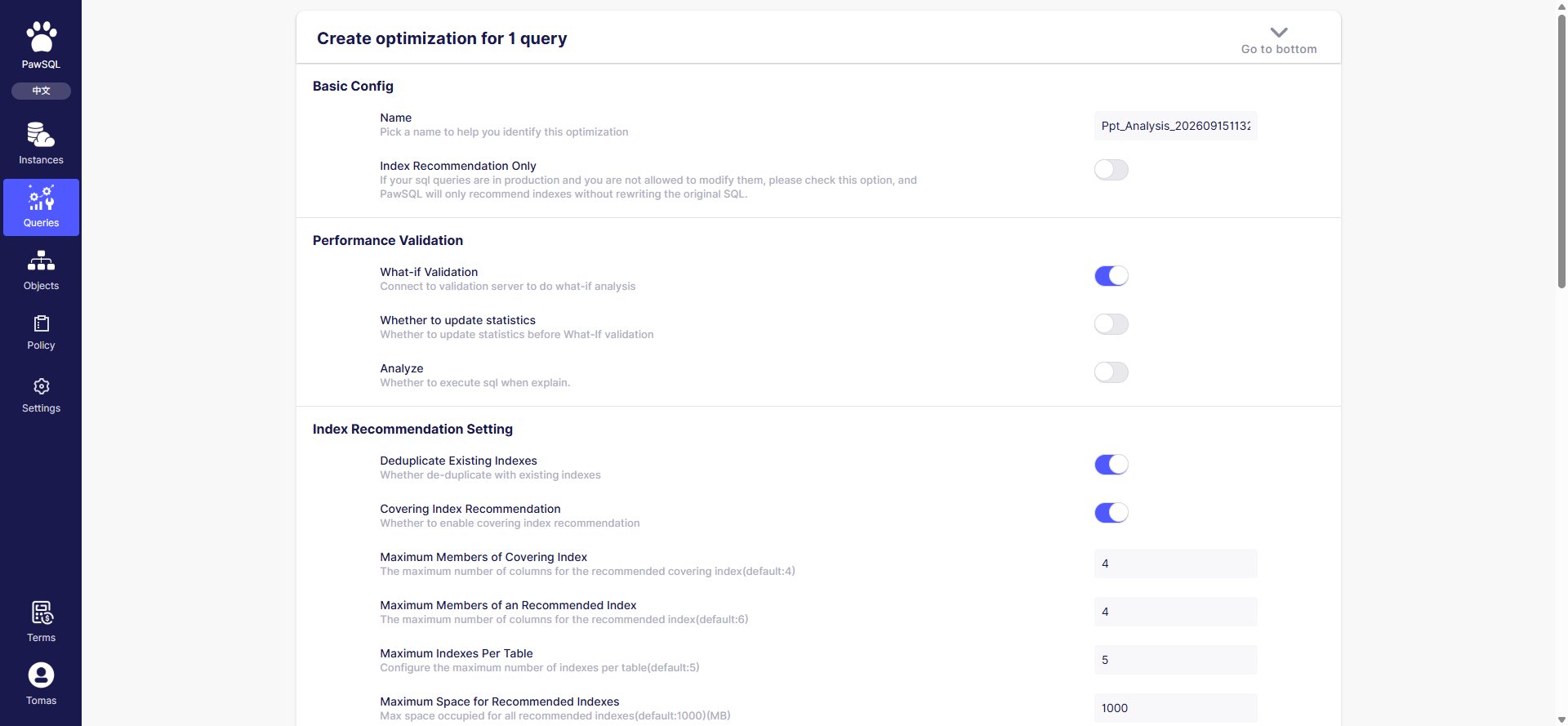
New query optimization

New query optimization: basic config, validation, index optimization, and rule config

Basic configuration

Validation

Index optimization

Rule configuration

Select a rule template (such as “MySQL database audit template”), or enable/disable rules and adjust thresholds inline. Rules are organized into three top-level categories — Object Design, Object Operation, and Data Operation — and can be filtered by severity (notice / warning / critical / disabled). Selecting a template uses its rules and ignores the inline configuration.

Submit

Review the settings and click “Create optimization task”. Optimization runs server-side; results appear in the “Optimization status”, “Last optimization”, and “Performance gain” columns on the Slow queries page.

Expected Result

After submission, the optimization runs server-side and its results appear in the “Optimization status”, “Last optimization”, and “Performance gain” columns on the Slow queries page.

Verification

Confirm the optimization ticket number was created and the ticket is tracked on the Slow queries page.

FAQ

Batch Analysis and Optimization

Track Governance Progress