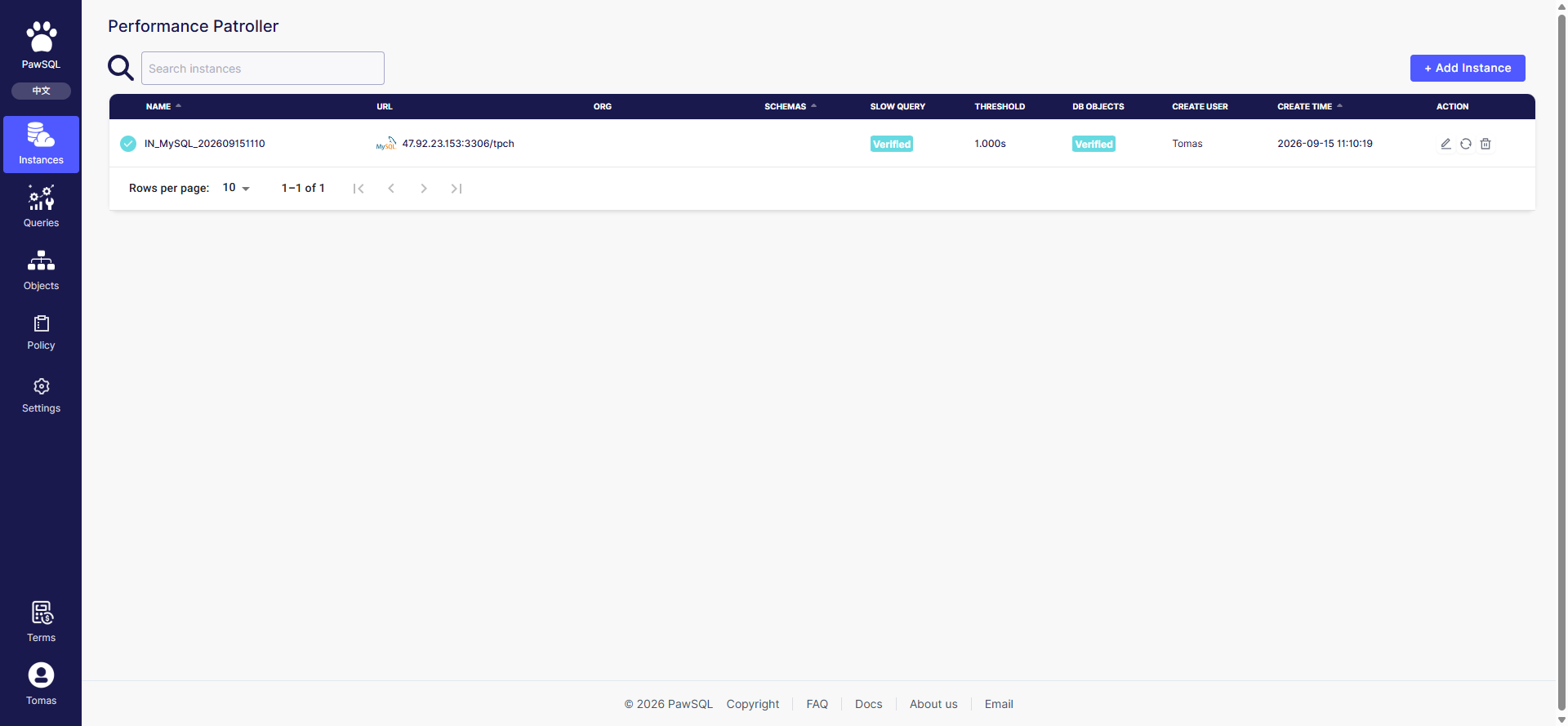
Instance overview: search and the + Add instance entry
Goal
Add a database instance on the Performance Patroller so PawSQL can collect slow queries and patrol its objects.Prerequisites
The target database is reachable from the PawSQL server, the slow query log is enabled, and the connecting account has the required permissions.Step 1: Select instance type
Select the target database type. The type determines the connection protocol, how the slow query log is collected, and the available patrol templates and audit rules.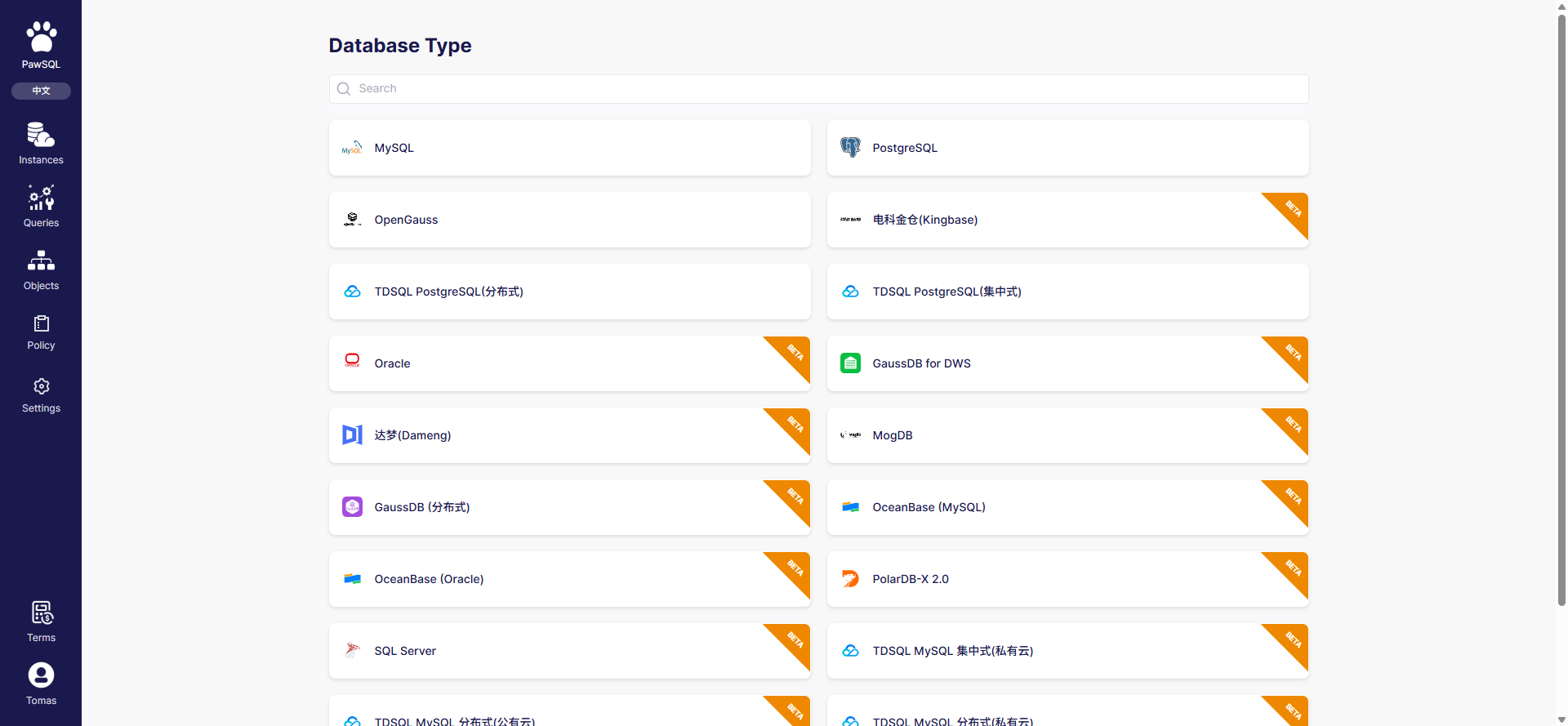
Select instance type: 19 database types, some marked beta
Step 2: Database connection
Fill in the instance name and connection details: host, port, username, password, and target database (or schema). The page also shows the “Instance setup guide” with prerequisites such as enabling the slow query log and granting permissions, specific to the target database type.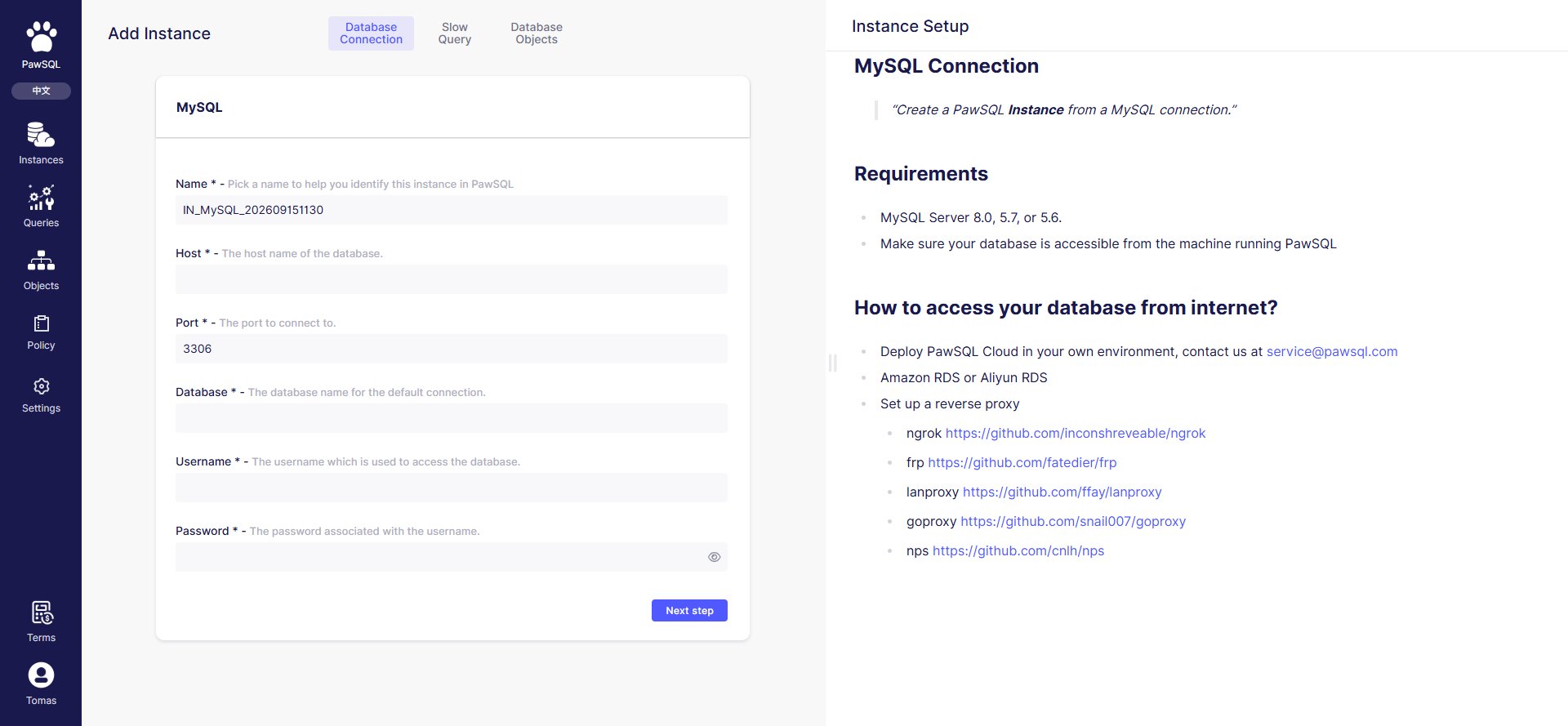
Database connection step: connection form and instance setup guide
1
Instance name
Identifies the instance in the list; include the database type and business context where possible.
2
Host and port
The target database address and port. This address is reached by the PawSQL server, not the browser.
3
Username and password
The account used to connect, which must have the permissions needed to collect slow queries and read metadata.
4
Database
The target database (or schema), which defines the collection and patrol scope.
Connection validation runs server-side
The “Test” or “Finish” connection validation runs on the PawSQL server — the backend connects to the target database, not the browser. Therefore:127.0.0.1orlocalhostrefers to the PawSQL server’s own loopback address and usually cannot reach your database;- The target database must allow the PawSQL server’s egress through firewall, security group, or allowlist;
- On failure, check network reachability and account permissions first, not the browser’s machine.
Steps 3 and 4
After the connection passes, the wizard continues to “Slow query config” and “Patrol config” — see Collect Slow Queries and Object Patrol Task.Expected Result
After completing the four-step wizard, the instance appears on the Instance overview page and its slow query and patrol configuration are verified.Before you submit
- Instance type matches the target database;
- Host, port, username, password, and database are correct;
- The slow query log is enabled (for MySQL,
slow_query_log); - The account can read slow queries and metadata;
- The database is reachable from the PawSQL server;
- Connection details are redacted and passwords are not exposed in shared documents.