This guide follows the core workflow shown in PawSQL in a Minute. Initial workspace setup may take a few extra minutes; after that, optimizing a query is a three-step process.
PawSQL in a Minute
What you will accomplish
By the end of this guide, you will know how to:- create or select a workspace;
- submit a query for analysis;
- review SQL findings, automatic rewrites, and index recommendations; and
- compare performance evidence when a database connection is available.
Before you begin
You need:- access to a PawSQL deployment and a valid account;
- a
SELECTstatement to analyze; and - the schema definitions referenced by the query, or access to a database connection.
Step 1: Create or select a workspace
A workspace stores the database type, version, schema definitions, and available statistics that form the context for optimization. Accurate context helps PawSQL parse the query correctly and produce relevant recommendations.1
Open a workspace
Sign in to PawSQL. Select an existing workspace, or click New workspace.
2
Choose the database type and version
Select the database and version on which the query actually runs. SQL syntax, rewrite rules, and index capabilities vary by database, so avoid selecting an approximate substitute.
3
Provide schema context
Choose the method that fits your environment:
- Import DDL
- Connect a database
Paste or upload the relevant
CREATE TABLE, CREATE INDEX, and related DDL. This is ideal for evaluations, development environments, or cases where direct database access is unavailable.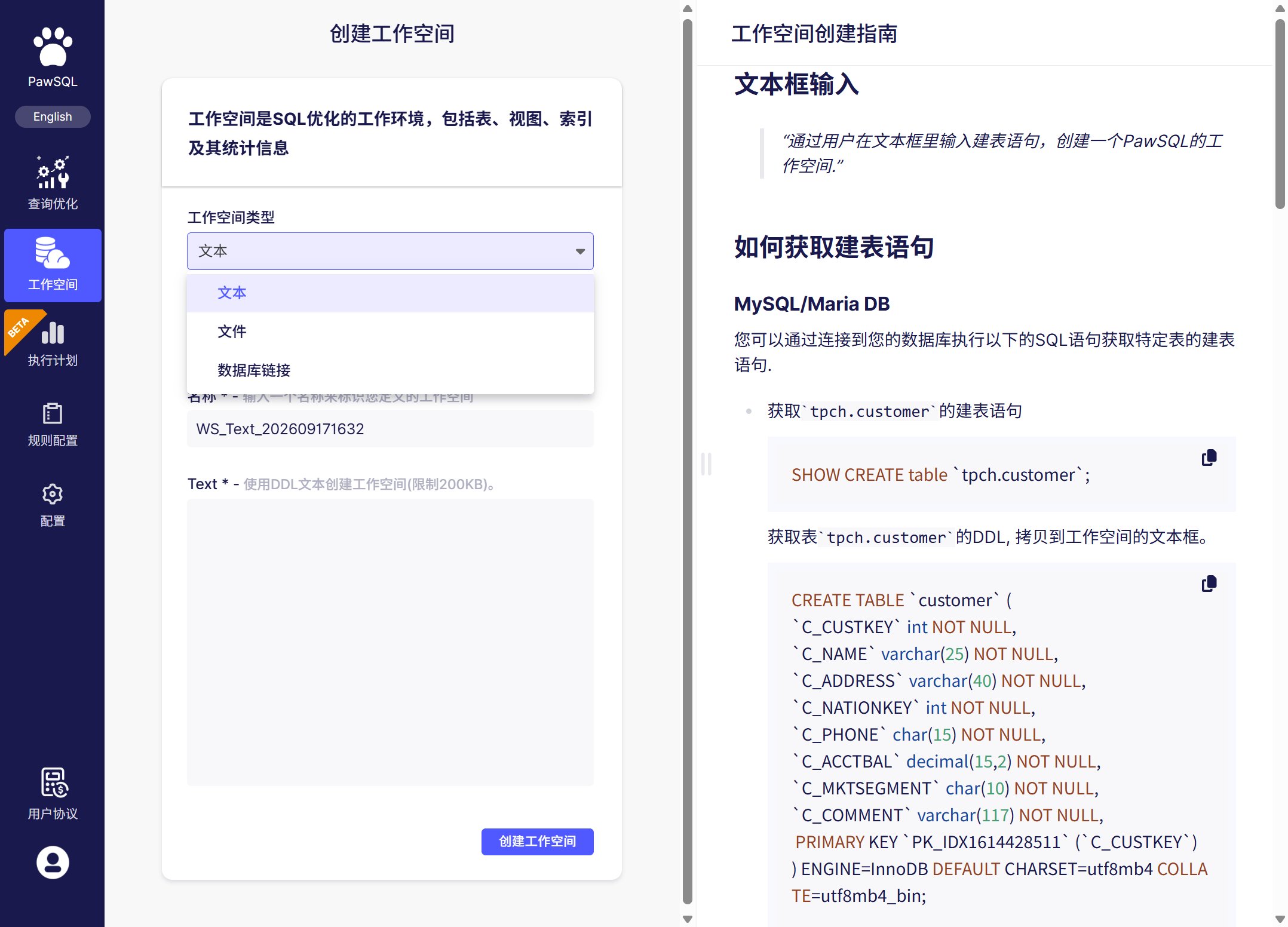
Select a workspace, or create one from DDL or a database connection
Step 2: Submit a query
Open SQL Optimization in the workspace and paste the query into the editor. The following example retrieves the most recent paid orders for a customer:1
Enter the SQL
Paste a complete statement. Keep the real table names, columns, join predicates, and filters because they directly affect findings and index recommendations.
2
Confirm the context
Verify the selected workspace and default database or schema. If the query uses a different schema, qualify the objects in SQL or select the correct schema in the task settings.
3
Run the optimization
Click Optimize. PawSQL parses the statement and runs SQL checks, rewrite analysis, and index analysis using the context available in the workspace.
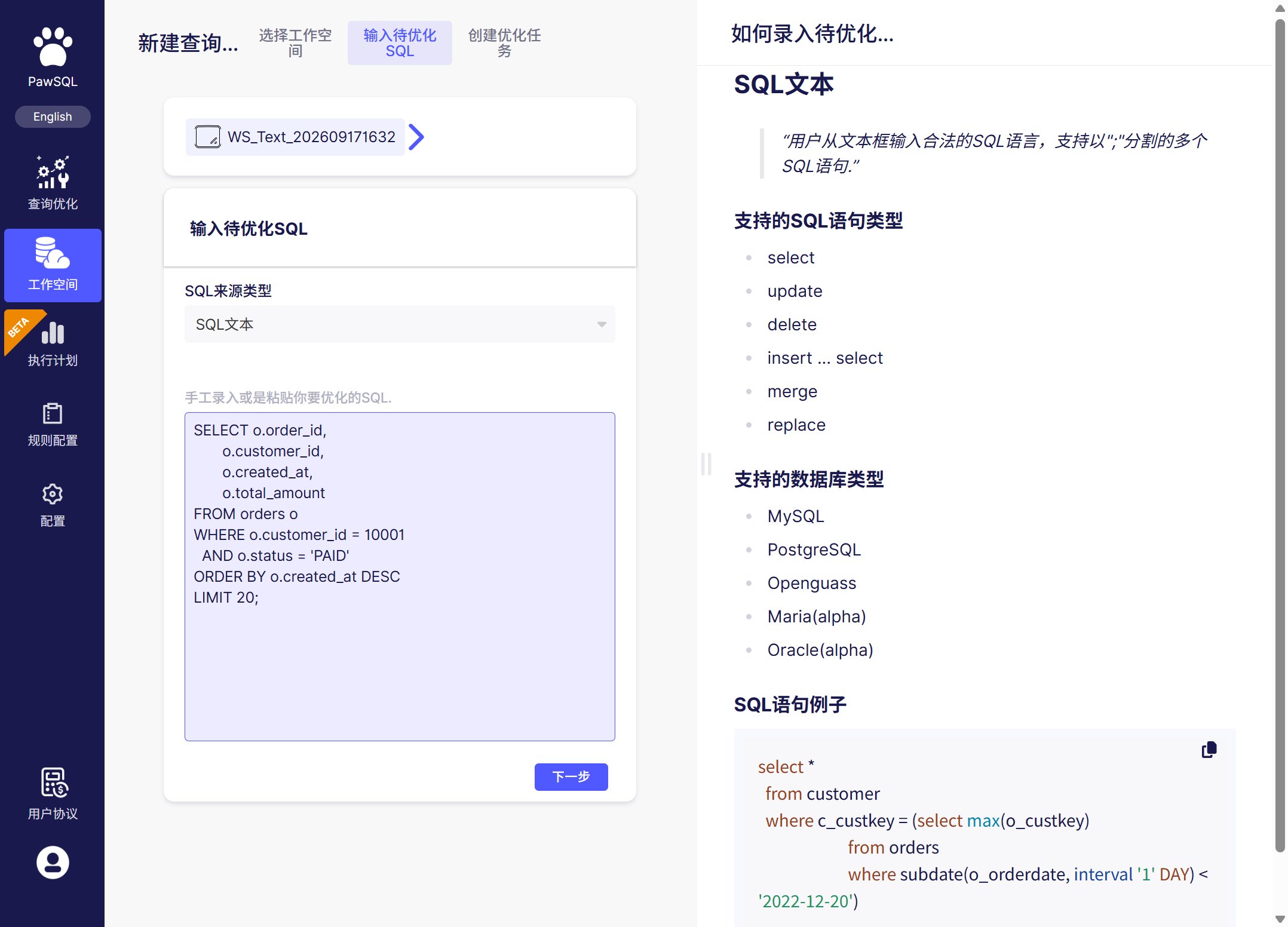
Confirm the workspace and schema, then submit the query
Step 3: Review the results
Start with the summary, then inspect each recommendation. The available result sections depend on the query and workspace context.SQL quality check
Surfaces correctness, performance, security, and maintainability risks, with the matched rule and remediation guidance.
Automatic rewrite
Produces a semantically equivalent candidate that is easier for the database optimizer to execute efficiently.
Index Recommendation
Evaluates filter, join, sort, and grouping columns and provides candidate index DDL.
Performance Validation
When a database is connected, compares execution plans or measured behavior before and after optimization.
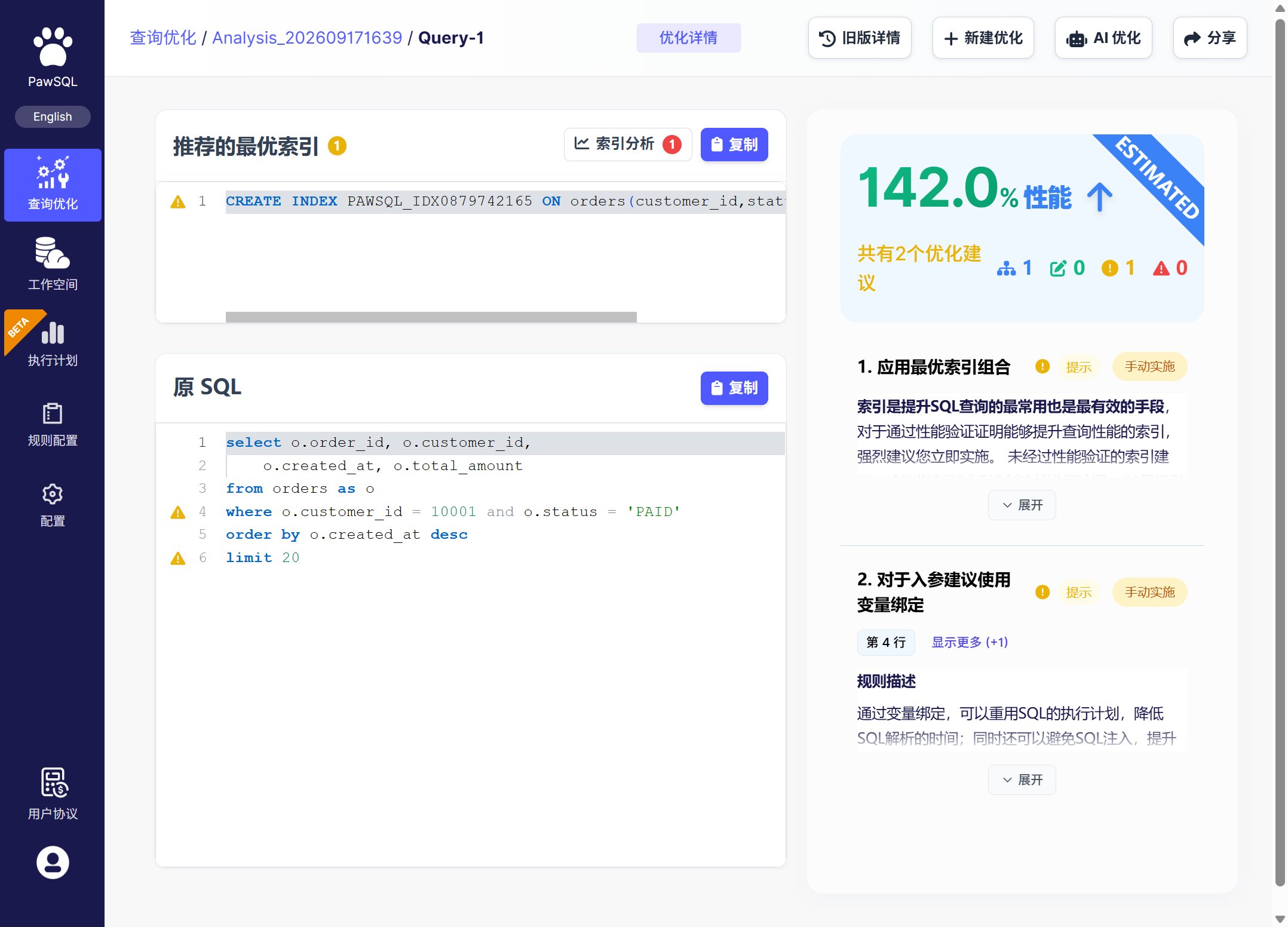
Open the detailed findings, rewrite, index, and validation views from the result summary
Recommended review order
- Resolve high-priority findings first. Correctness and security issues usually take precedence over performance-only advice.
- Compare the original and rewritten SQL. Confirm the business meaning, selected columns, and ordering behavior.
- Evaluate each proposed index. Check for existing duplicate or prefix-overlapping indexes and account for write and storage overhead.
- Inspect the validation evidence. Prefer changes supported by an improved execution plan or controlled measurements.
If no recommendation appears
The SQL cannot be parsed
The SQL cannot be parsed
Confirm that the workspace database type and version are correct, the statement is complete, and the query does not rely on unsupported dialect syntax.
Object information is missing
Object information is missing
Add the DDL for every referenced table, or verify that the database account can read metadata from the required schema.
No index is recommended
No index is recommended
This does not necessarily mean the analysis failed. Existing indexes may already cover the access path, or an additional index may not benefit this query. Review the findings and execution plan together.
Next steps
Choose how to use PawSQL
Compare web, IDE, API, and pipeline workflows.
Supported databases
Check database, version, and feature compatibility.
Query Rewrite
Learn how rewrites work and where their boundaries are.
Performance Validation
Learn how to compare optimization candidates with execution evidence.