Once aggregation and deduplication produce a governance backlog, the next step is to optimize its slow SQL. The Slow queries page offers both per-row and batch entry points; batch operation can optimize multiple slow SQL at once.

Goal

Optimize the aggregated slow SQL backlog by selecting slow SQL and running optimize, batch AI optimization, or ignore.

Prerequisites

Slow SQL must already be collected and appear on the Slow queries page.

Batch operation

Select slow SQL in the table (across pages), then click “Batch operation” to open the menu:
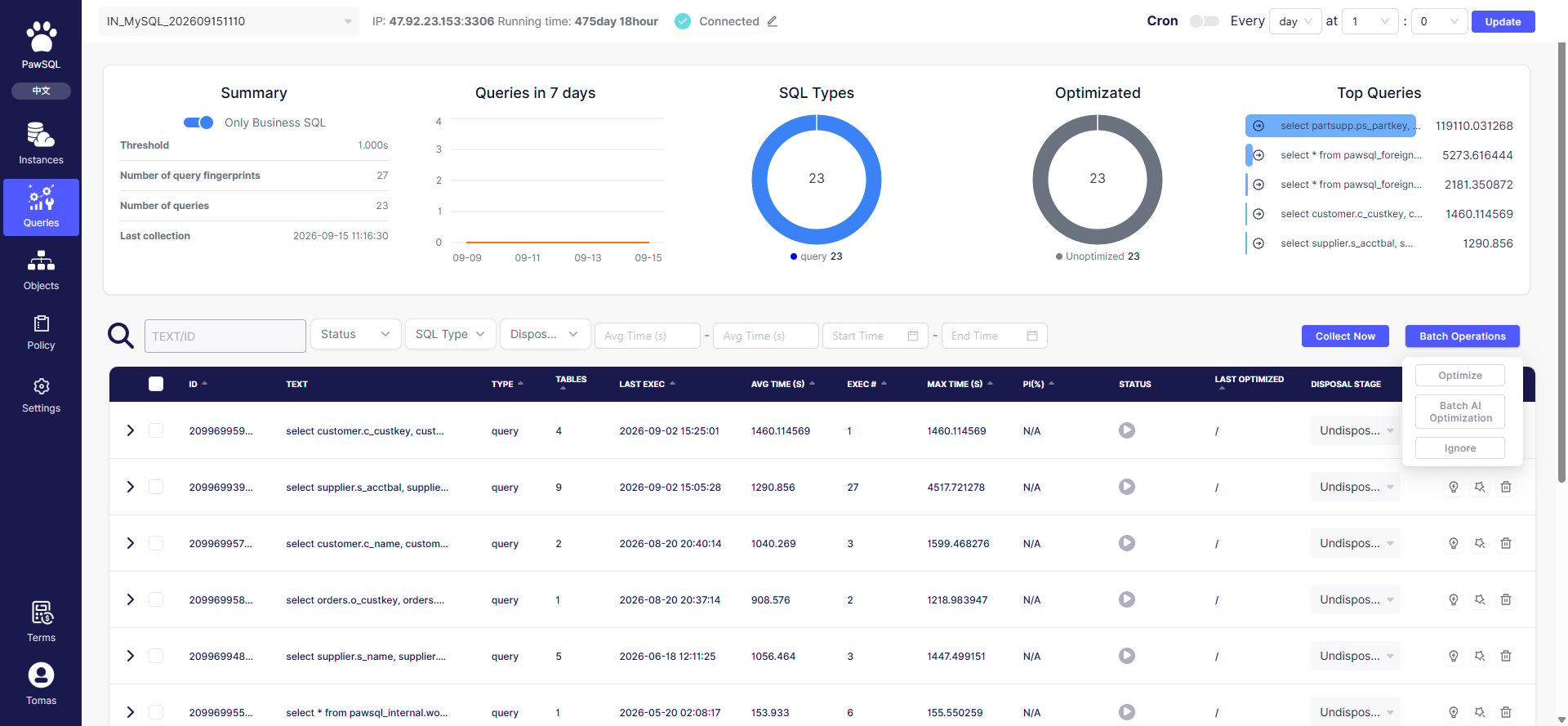
Batch operation menu

Batch operation menu: Optimize, Batch AI optimization, Ignore

Per-row operations

Each slow SQL’s “Operations” column also offers three actions:

Create an optimization task

Clicking “Optimize” opens the “New query optimization” page, bundling the selected queries into an optimization ticket. For the full optimization settings (basic, validation, index, rule) and submission tracking, see Create an Optimization Ticket.

Expected Result

The selected slow SQL are turned into an optimization task that generates SQL rewrite and index recommendations, shown on the optimization task page.

Verification

Confirm the optimization task was created and its results appear in the “Optimization status”, “Last optimization”, and “Performance gain” columns on the Slow queries page.

FAQ

SQL Aggregation and Deduplication

Create an Optimization Ticket

Track Governance Progress