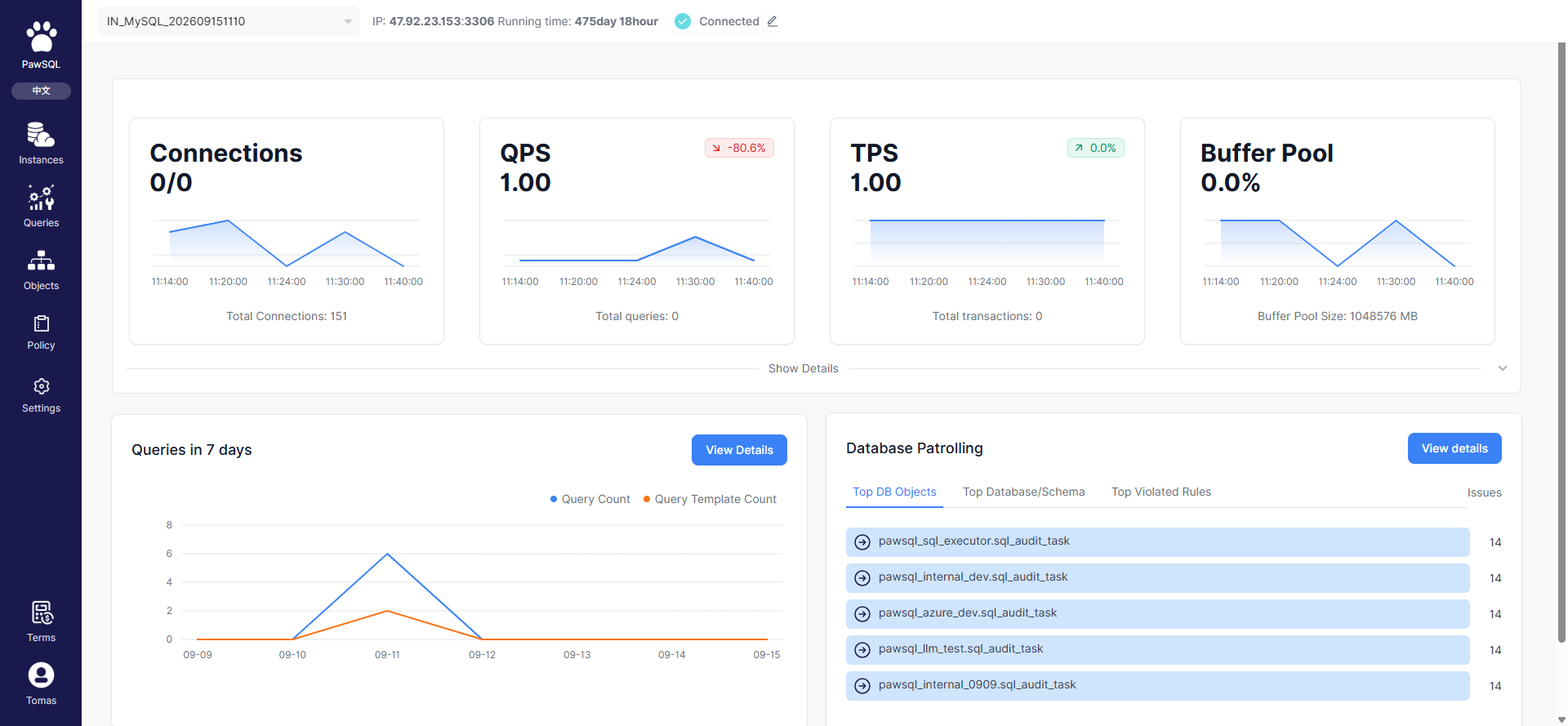
Performance Patroller overview: instance metrics, 7-day slow SQL, and database patrol Top 5
Governance workflow
Connecting database instances is the starting point, followed by two tracks — Slow query governance and Object patrol — converging on progress tracking:1
Connect database instances
Add an instance, fill in connection details, and complete slow query and patrol configuration.
Slow query governance
1
Collect slow queries
Collect slow SQL from the database slow query log, manually or on a schedule.
2
Aggregate and deduplicate SQL
Aggregate collected SQL by structure, filter to business SQL, and form the governance backlog.
3
Batch analyze and optimize
Run optimization or AI optimization on selected slow SQL to generate rewrite and index recommendations.
4
Create an optimization ticket
Bundle selected slow SQL into an optimization ticket, configure settings, and submit for tracking.
Object patrol
1
Object patrol task
Assign a patrol template to the instance and patrol database objects manually or on a schedule.
2
Patrol task report
Review risk distribution and top issues from the database-object perspective.
3
Create a patrol issue ticket
Bundle objects with anomalies into a remediation ticket.
Core Concepts
In this section
Onboarding and tracking
Connect Database Instances
Track Governance Progress
Slow query governance
Collect Slow Queries
SQL Aggregation and Deduplication
Batch Analysis and Optimization
Create an Optimization Ticket
Object patrol
Object Patrol Task
Patrol Task Report
Create a Patrol Issue Ticket
Start by role
Before you start
- The target database is reachable from the PawSQL server (connection validation runs server-side);
- You have the host, port, username, password, and target database name;
- The database slow query log is enabled and readable before collecting slow SQL;
- The patrol template matches the target database type;
- Your account has permission to add instances and view patrol data.
Related reading
- Single-SQL optimization on the Optimize platform: Optimization workflow
- Database context: Workspaces and context