Goal
Check database objects for structural risks by applying the audit rules from a patrol template.Prerequisites
Slow query config has passed and a patrol template matching the target database type is available.Patrol config step
After slow query config passes, the wizard enters “Patrol config”. This step selects the patrol template (rule set) used for patrol.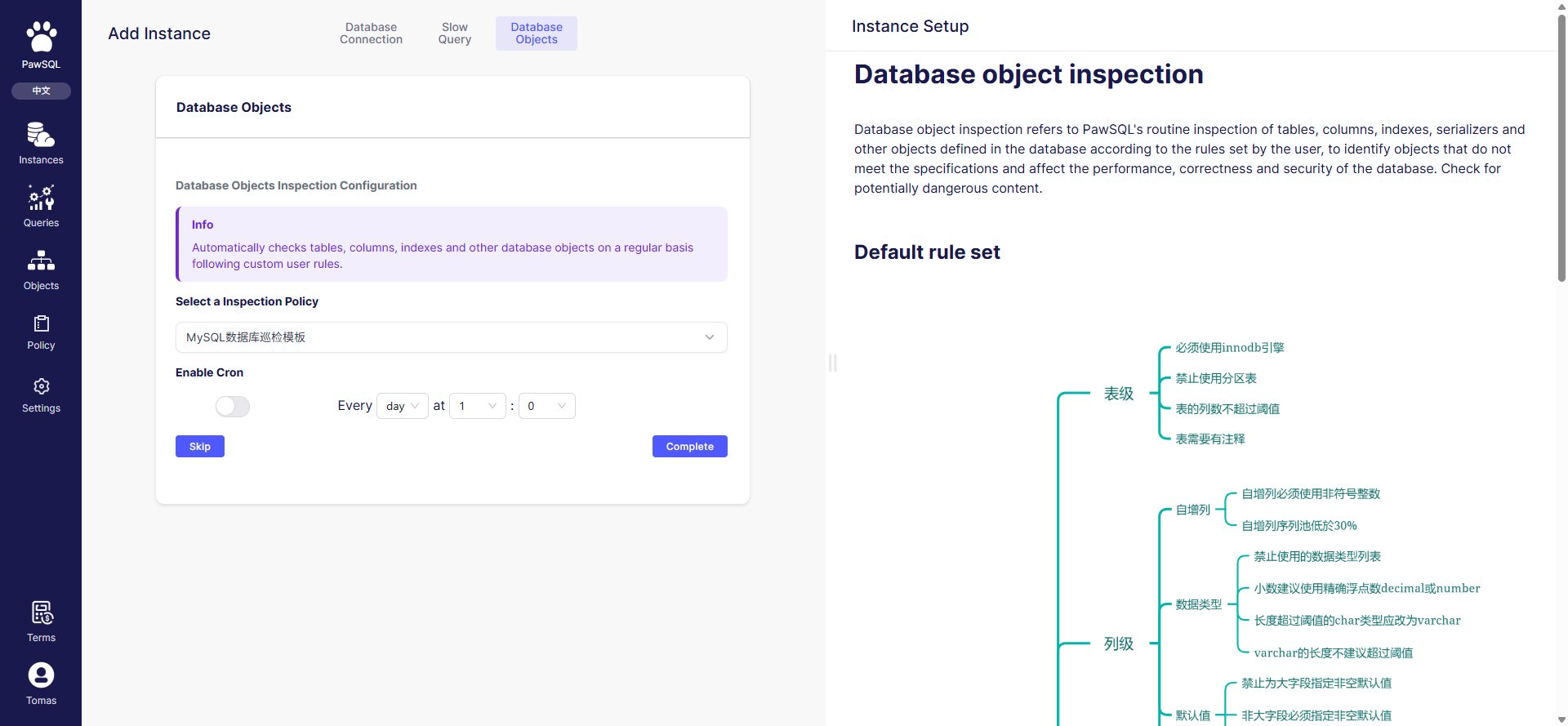
Patrol config: select a database patrol template
Manual patrol
After onboarding, click “Patrol” on the Database objects page to trigger a patrol immediately. Patrol runs server-side, and the summary and object list update when it finishes.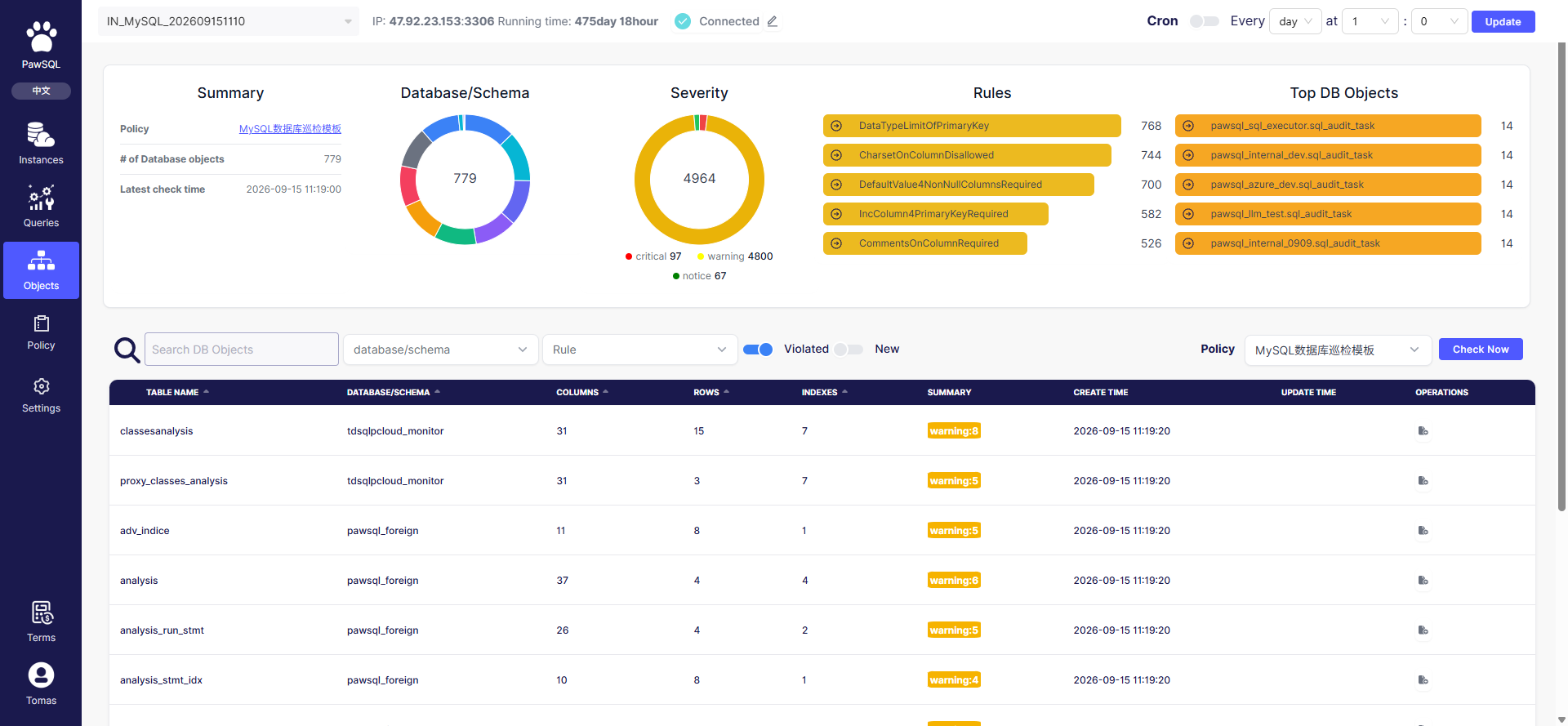
Database objects page: summary, risk distribution, and the manual patrol entry
Scheduled patrol
At the top of the Database objects page, turn on “Scheduled patrol”, set the interval (every N days) and time (at HH:MM), then click “Update”. The platform then patrols automatically on schedule.Interpreting results
Patrol results are summarized by severity and rule — see Patrol Task Report.Before you submit
- The patrol template matches the target database type;
- The rules enabled in the template match the governance goal;
- The summary updates after manual patrol;
- Scheduled patrol avoids business peak hours if needed.