The patrol report answers “which objects have problems”; a patrol issue ticket turns those problems into a trackable, reviewable remediation task. It starts from the object list in the Patrol Task Report, bundling objects with anomalies into a single ticket to synchronize remediation ownership and progress across the team.

Goal

Turn patrol report anomalies into a trackable, reviewable remediation ticket.

Prerequisites

A patrol has completed and produced objects with anomalies on the Database objects page.

Start from the object list

After patrol completes, locate objects with anomalies in the object list on the Database objects page — filter by “Violated rules” or by severity (critical / warning / notice). Select the objects to remediate and create a ticket that includes those objects and their anomalies.
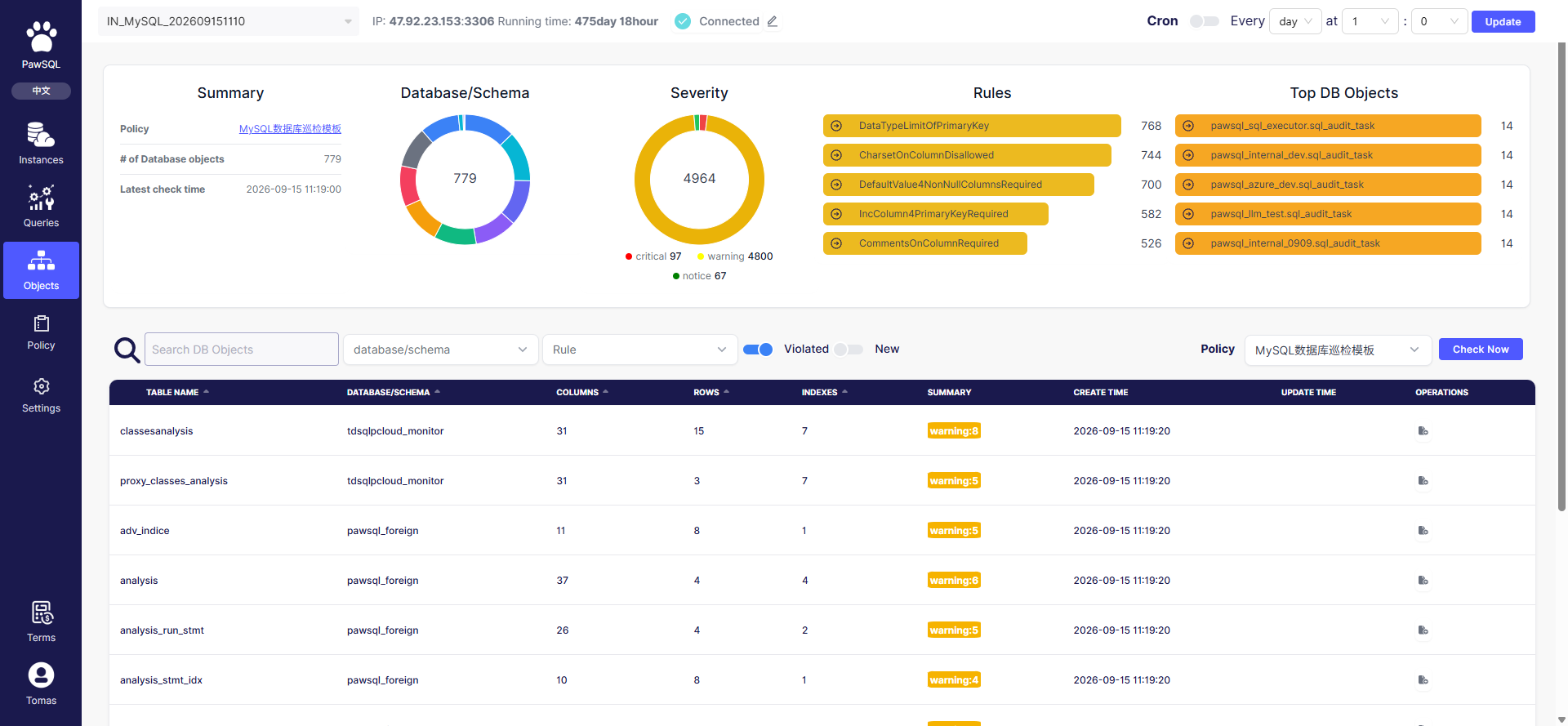
Database object patrol

Object list: locate objects to remediate by anomaly and severity

Ticket information

When creating a patrol issue ticket, confirm the following:

Submit and track

After submission, the ticket enters the remediation flow. Remediation progress follows the governance “pending → in progress → resolved” stages — see Track Governance Progress.

Expected Result

After submission, the patrol issue ticket enters the remediation flow with its title, priority, and associated objects recorded.

Verification

Confirm the ticket appears in the remediation flow and its progress follows the pending → in progress → resolved stages.

FAQ

Patrol Task Report

Track Governance Progress