Goal
Interpret review coverage, severity summaries, and individual findings to support a release decision.Prerequisites
A review ticket that has completed (or partially completed) and is available to open.Result page layout
The review ticket detail page organizes results into tabs:
The core of the result is the “SQL review details” tab: its header shows the workspace, review policy, statement count, average score, statement-type distribution, and severity summary; a “review rules” block lists violated rules with trigger counts; below, a per-statement table shows ID, SQL text, type, recommended index, review result, and score. Click a statement to expand “review details” and see the reviewed object plus each violated rule’s explanation and source location.
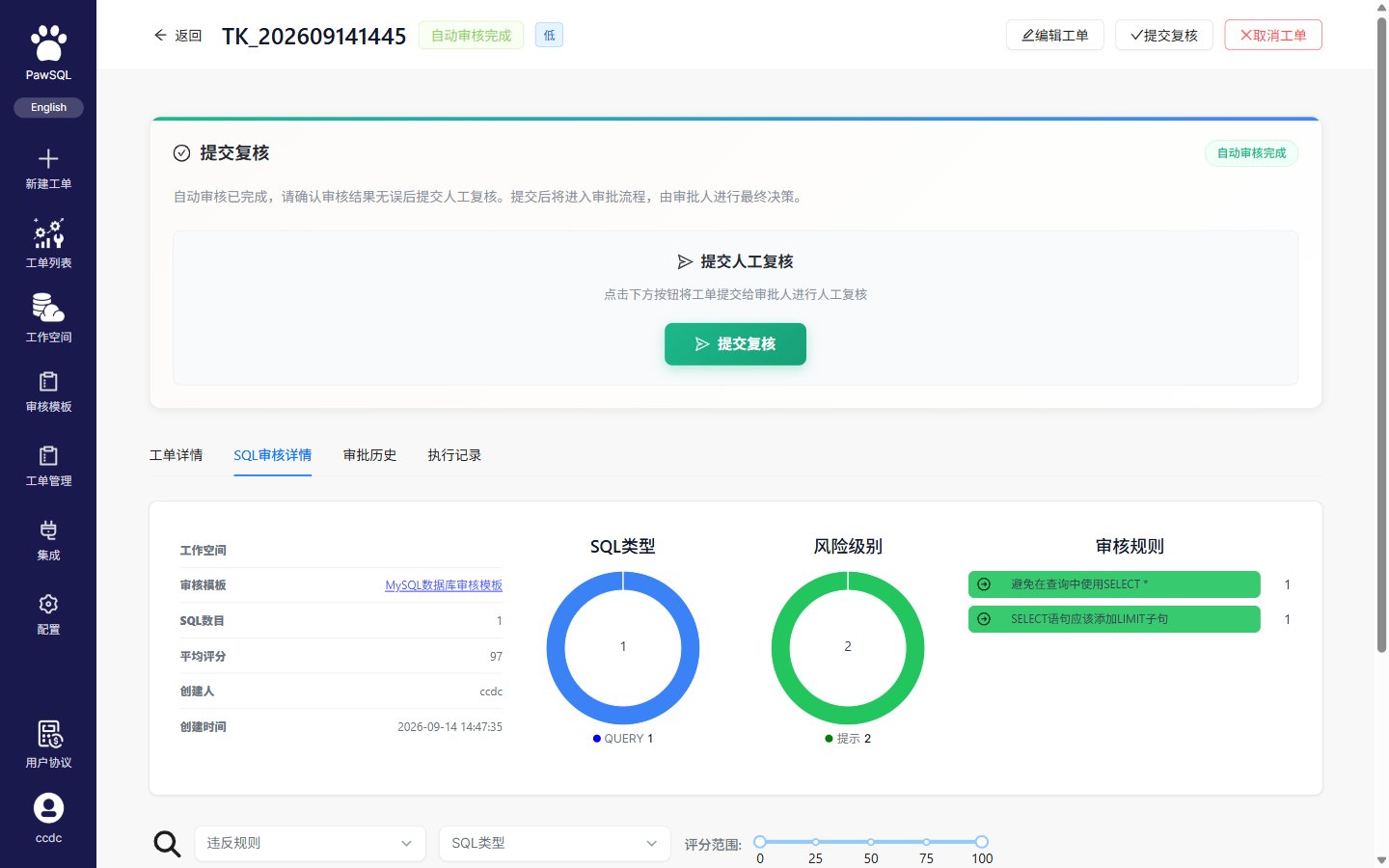
The SQL review details tab on the result page
Score and severity
- Score: each statement and the overall ticket get a 0–100 score, where lower means more severe.
- Severity (per finding): each rule carries a severity such as “hint”, aggregated in the review result as
hint:N. - Risk grade (per ticket): the ticket-level risk grade (low/medium/high) appears in basic information and the ticket list.
Recommended review order
1
Confirm ticket completion
Distinguish completed, partially completed, failed, and in-progress tickets. For partial results, identify statements that were not reviewed.
2
Read the summary
Review statement coverage, finding counts, severity distribution, and rule categories.
3
Prioritize blocking and high-risk findings
Inspect the affected statement, triggered rule, and potential impact before lower-priority items.
4
Inspect finding details
Use the source location, database objects, rule explanation, supporting evidence, and recommendation to evaluate each issue.
5
Validate analysis coverage
Look for parse failures, unresolved objects, missing context, skipped rules, or other signs of incomplete analysis.
Understand the summary
One statement may trigger several rules, and one rule may apply to several statements. Finding count and statement count therefore measure different things.
Finding details
The exact interface varies by PawSQL version, but useful finding data commonly includes:- severity and rule name;
- the affected SQL and source location;
- related tables, columns, indexes, or other objects;
- the trigger condition and risk explanation;
- remediation guidance or a preferred pattern;
- rule identifier, source, or category;
- current disposition and owner.
Filter large result sets
Depending on the product version, filters may include:- severity;
- rule or rule category;
- SQL statement type;
- disposition status;
- file, statement, or database object;
- creator, ticket, or time range.
Recognize incomplete analysis
Do not treat a ticket as passed when:- one or more statements failed to parse;
- a file was truncated or skipped;
- workspace tables or columns could not be resolved;
- workspace metadata is stale;
- rules were skipped because of an engine, version, or configuration mismatch;
- the ticket failed or results are still being generated.