Goal
Locate previous SQL reviews, reconstruct their configuration, and preserve review evidence for governance and audit.Prerequisites
Access to previously created review tickets and to the report or export capability provided by your PawSQL version.Find a previous ticket
The ticket list groups work through filter tabs—My tickets, Pending my approval, Pending my execution, and History—with an additional workspace dropdown. List columns are: title, status, priority, ticket type, statement count, data source, risk grade, creator, current owner, and creation time.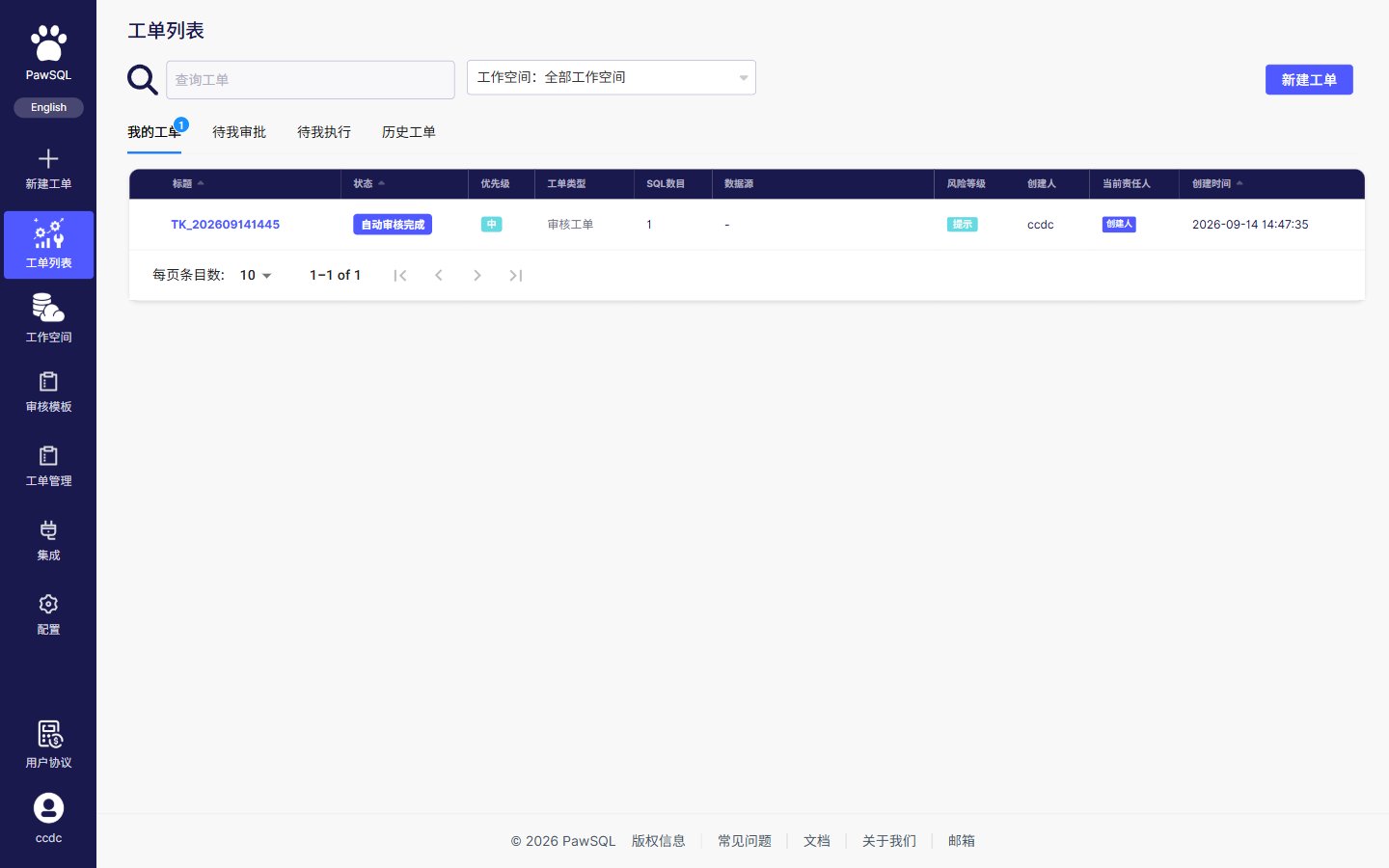
Ticket list: filter tabs and columns
- ticket title or identifier;
- project, organization, or workspace;
- database engine and version;
- creator, assignee, reviewer, or approver;
- ticket status and severity;
- creation or completion time;
- review policy or rule.
Reconstruct the review
Generate or export a report
1
Select the authoritative ticket
Verify its name, SQL, project, environment, and completion time.
2
Review active filters
Clear temporary filters for a complete report, or document the intended filtered scope.
3
Check report coverage
Confirm that the summary, findings, dispositions, and ticket configuration support the report’s purpose.
4
Export in an available format
Use the report, download, or export capability provided by your PawSQL version.
5
Retain it securely
Attach the evidence to the appropriate release, change, or audit record with suitable access and retention controls.
Report formats, fields, and export actions vary by PawSQL edition, licensing, and deployment model. If built-in export is unavailable, retain the ticket link and record the necessary summary and decision in the system of record.
Recommended report contents
A formal review or audit report should capture:- ticket identifier, creator, and timestamps;
- SQL source, database engine, version, and target environment;
- review policy and any available revision identifier;
- workspace and metadata freshness;
- completion status, statement count, and risk summary;
- findings, remediation, and accepted exceptions;
- reviewer or approver decision;
- related change ticket, validation evidence, and attachments.
Compare two review runs
First verify that the database version, policy, and workspace are comparable. Then evaluate:- changes in severity distribution;
- resolved, newly introduced, and accepted findings;
- changes in parse failures or uncovered statements;
- activity for critical rules;
- test and performance-validation evidence.
Protect exported data
- Check SQL, object names, comments, and parameters for sensitive content.
- Grant report access only to people who need it.
- Do not distribute production SQL or schema details through uncontrolled channels.
- Apply organizational encryption, retention, and disposal requirements.
- Use a sanitized report for external sharing.