Goal
Create a review policy from a built-in global template by choosing a database type and base template, configure rules in three steps, and manage templates from the list and detail pages.Prerequisites
Access to the Audit platform’s Policy entry and the built-in global templates it provides.Template list
The list page has these columns: Name, Enabled, Description, Global, Creation time, Operations. PawSQL ships 11 global templates by database type, for example MySQL (172 enabled rules), PostgreSQL (163), Oracle (157), openGauss (147), DB2 (155), GaussDB for DWS (173), DM (156), and KingbaseES (166). Global templates have the “Global” flag set, and their rules and thresholds are read-only.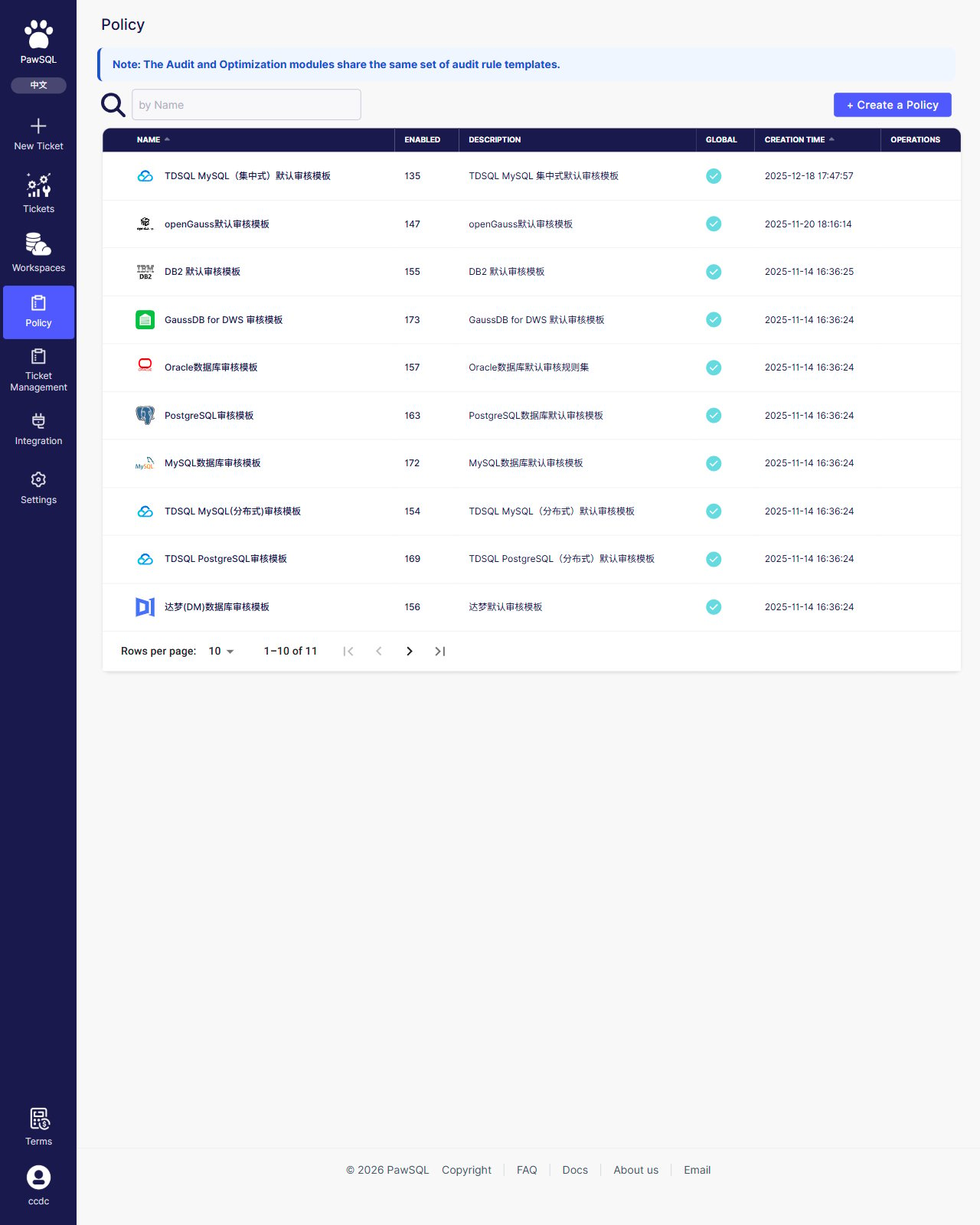
Policy list: 11 built-in global templates by database type
Create a review policy
Creating a review policy has three steps: choose a database type, enter basic information, and configure rules.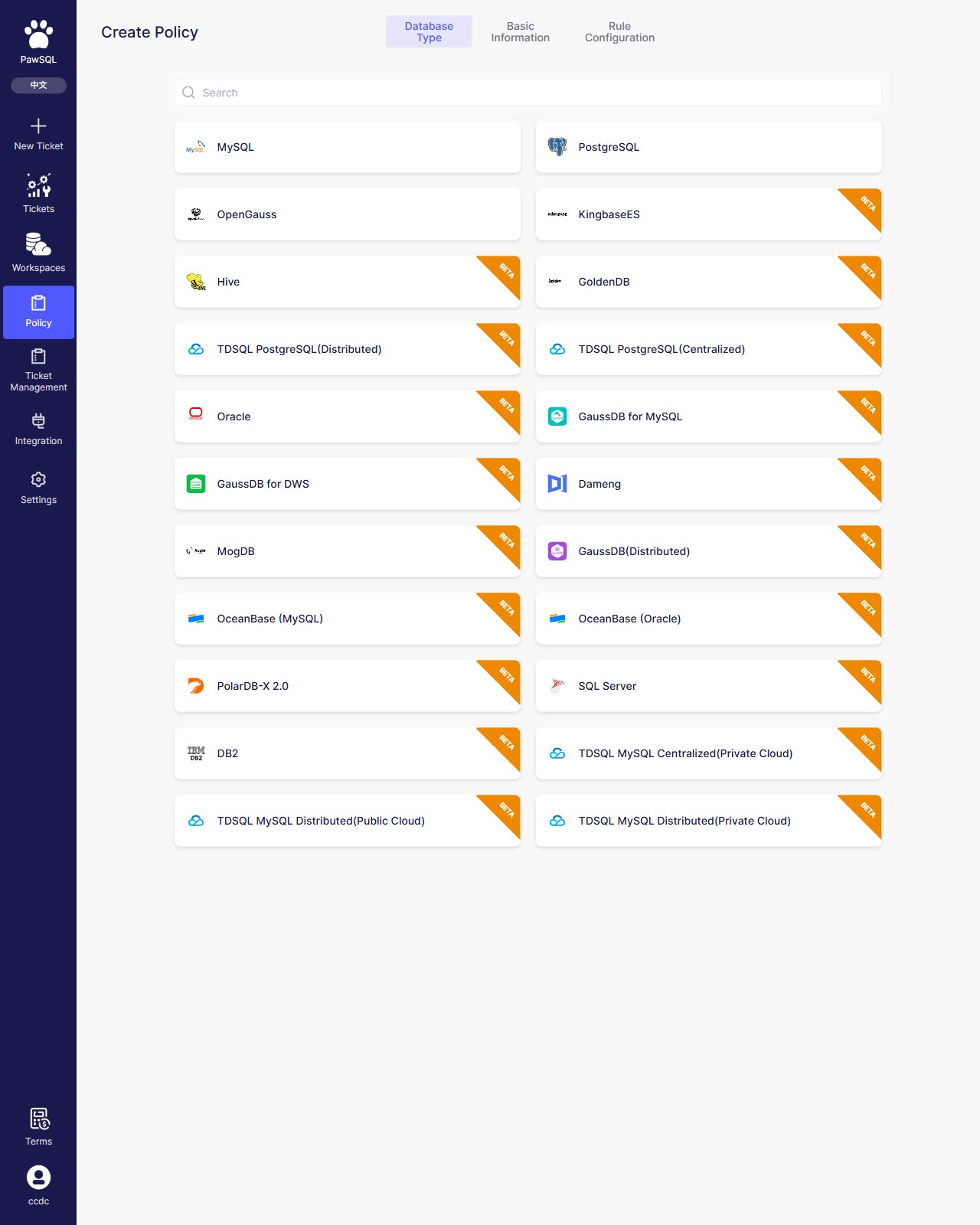
Create a Policy: three-step wizard, starting with the database type
1
Choose a database type
The database type determines the available audit rules. MySQL, PostgreSQL, and openGauss are generally available; the rest (Oracle, DB2, DM, KingbaseES, GaussDB, TDSQL, OceanBase, and others) are marked beta.
2
Enter basic information
Enter a template name (default
RT_+timestamp), confirm the database type, choose a base template, and optionally add a description. The base template presets the enabled rules and thresholds for that database type as a starting point.3
Rule configuration
In the category tree and rule table, enable or disable rules, filter by severity, and adjust thresholds. Click the add button to save the policy.
View template details
Click a template in the list to open its detail page. Built-in global templates have read-only rules and thresholds; create a local template from one to make changes. The detail page provides an ”+ Add” entry that opens the creation flow directly.Customize a review policy
Built-in global templates are read-only. To customize, create a “local template”: copy a global template (or another visible template), then enable or disable rules and adjust thresholds on the copy. A local template is visible only to its creator and their team members. See “Create a review policy” above for the flow, and Manage Rules for the rule adjustments.Expected Result
After saving, a new local template appears in the policy list; clicking it opens its detail page where you can review its enabled rules and thresholds.Verification
Confirm the policy was created by finding it in the list, opening its detail page, and checking that the selected database type, base template, and rule configuration are applied.Review policy import, export, and versioning have no entry in the current preview release (global templates are read-only and the Operations column is empty); they are subject to the official release.