Goal
Configure the approval workflow and the risk-level threshold (Notice, Warning, Critical) to set the maximum risk level for ticket creation and establish a SQL quality gate.Prerequisites
Access to the “Settings → Personal Approval Template” configuration page and permission to save the approval workflow.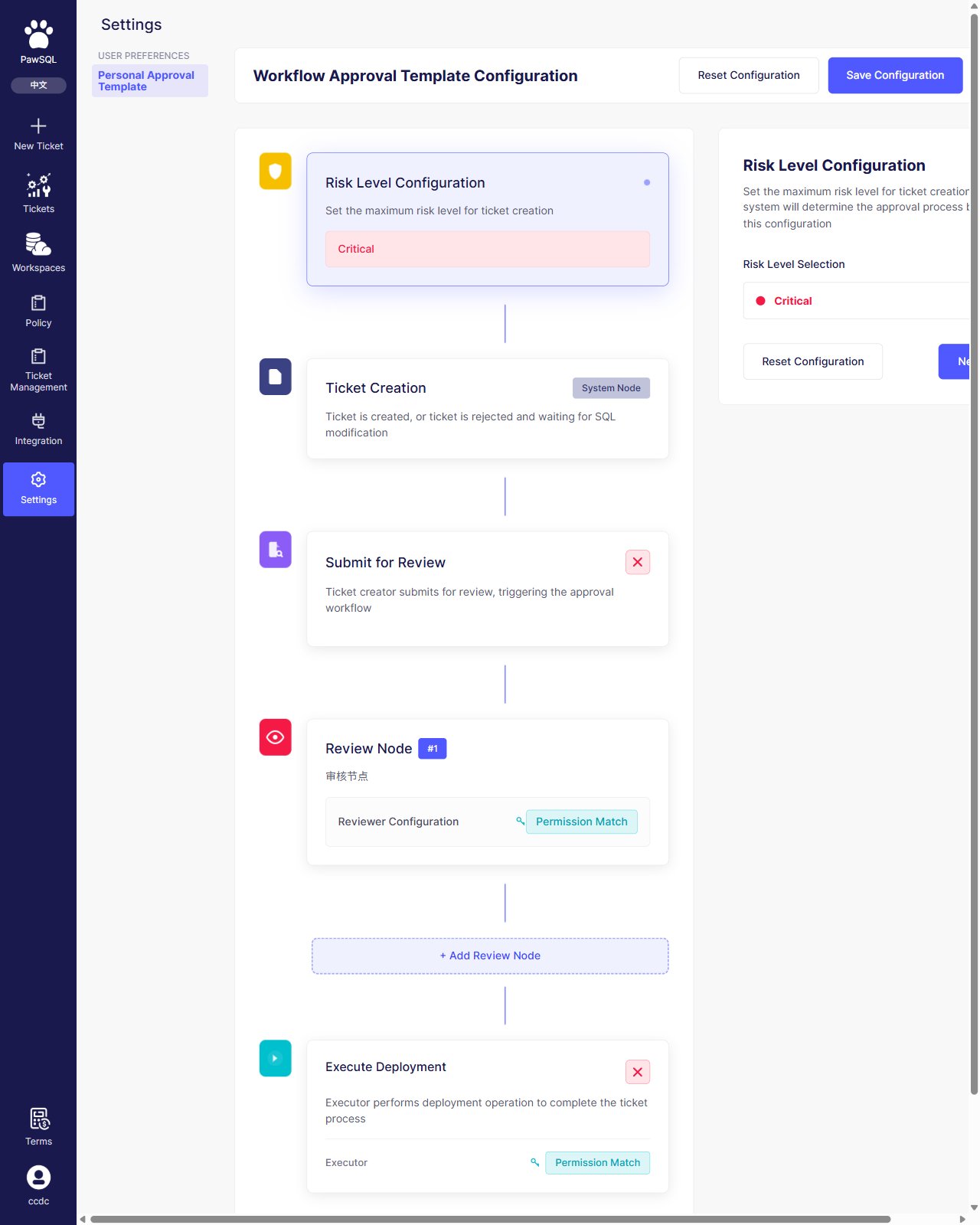
Approval workflow: the nodes from risk level configuration to execute deployment
Risk level
Risk level applies to the whole ticket, with three levels from lightest to most severe:
“Risk Level Configuration” sets the maximum risk level for ticket creation; tickets above that level require a stricter approval flow.
Rule severity vs. risk level
“Rule severity” and “risk level” are two different dimensions; do not confuse them:
Rule severity marks how serious a single finding is, see Manage Rules; risk level decides whether a ticket needs a stricter approval flow, configured on this page.