Goal
Read the optimization summary and per-SQL details, and compare the original and optimized SQL and execution plans.Prerequisites
You have a completed optimization task whose results you can open.Optimization summary
The summary aggregates the overall task, including:- number of executed SQL statements;
- number of rewrites;
- number of SQL audit rule violations;
- number of recommended indexes;
- an overview of each SQL optimization.
Optimization details
For each SQL, the detail page shows what and how it is tuned, with the following sections: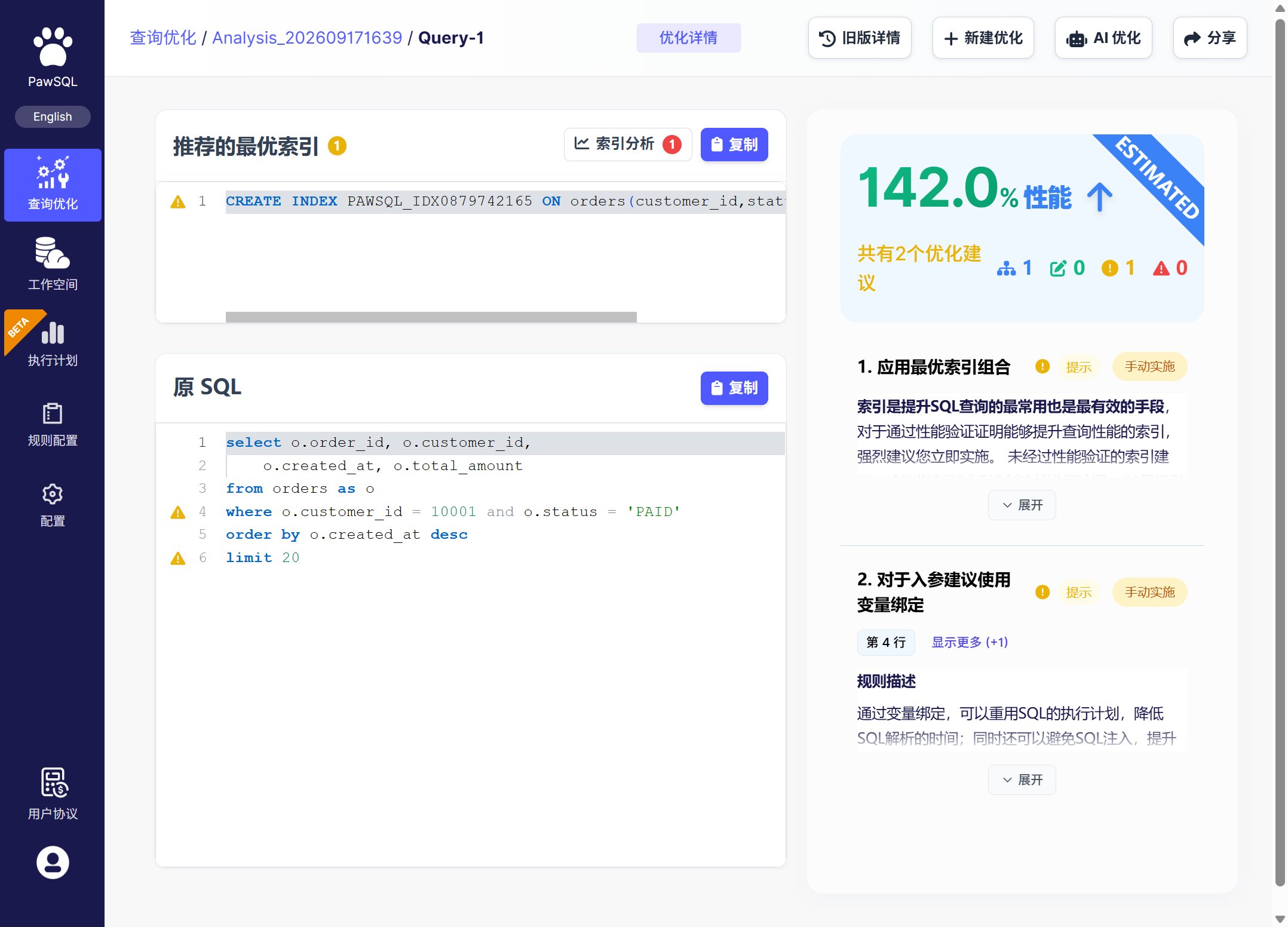
The result page: task summary on top, per-SQL detail below
Reading order
1
Confirm context
Verify engine, version, schema, workspace, and SQL.
2
Confirm parse completeness
Check that SQL and objects resolved and no skip or partial failure remains.
3
Prioritize high risk
Review blocking, critical, and data-safety issues first.
4
Evaluate rewrites
Compare original and rewritten SQL, and read rule rationale and conditions.
5
Evaluate indexes
Inspect recommended indexes, existing indexes, write cost, and query coverage.
6
Check validation evidence
Compare plans, cost, or measured metrics to judge actual benefit.
Compare SQL and execution plans
- Compare SQL: click the “Compare SQL” button at the top right of the optimization page to show the text change before and after rewriting.
- Compare execution plans: click the “Compare execution plans” button to show the plans before and after optimization.