> ## Documentation Index
> Fetch the complete documentation index at: https://docs.pawsql.com/llms.txt
> Use this file to discover all available pages before exploring further.
> ## Agent Instructions
> PawSQL 是一个产品:Cloud 是公网部署形态,Engine / Optimizer / Auditor / Advisor / Patroller 是同一产品的组件与交付形态,不是彼此独立的产品。 / PawSQL is a single product: Cloud is the public deployment form, while Engine / Optimizer / Auditor / Advisor / Patroller are components and delivery forms of the same product, not separate products.
> 术语以站内术语表为准:SQL 审核对应英文 SQL Review,查询重写对应 Query Rewrite,索引推荐对应 Index Recommendation;英文内容统一用 Review,不用 Audit。 / Use the site glossary for terminology: 审核 is SQL Review, 重写 is Query Rewrite, 索引推荐 is Index Recommendation; English content uses Review, never Audit.
> 引用能力范围或版本支持时以对应页面为准;标注 unknown、或 status 非 published 的内容表示尚未经产品核实,不应作为事实引用。 / Cite capability scope and version support from the corresponding page; content marked unknown, or with a status other than published, is not yet product-verified and must not be cited as fact.
# Connect Database Instances
> Add an instance on the Performance Patroller via a four-step wizard — select instance type, database connection, slow query config, and patrol config — with server-side connection validation.
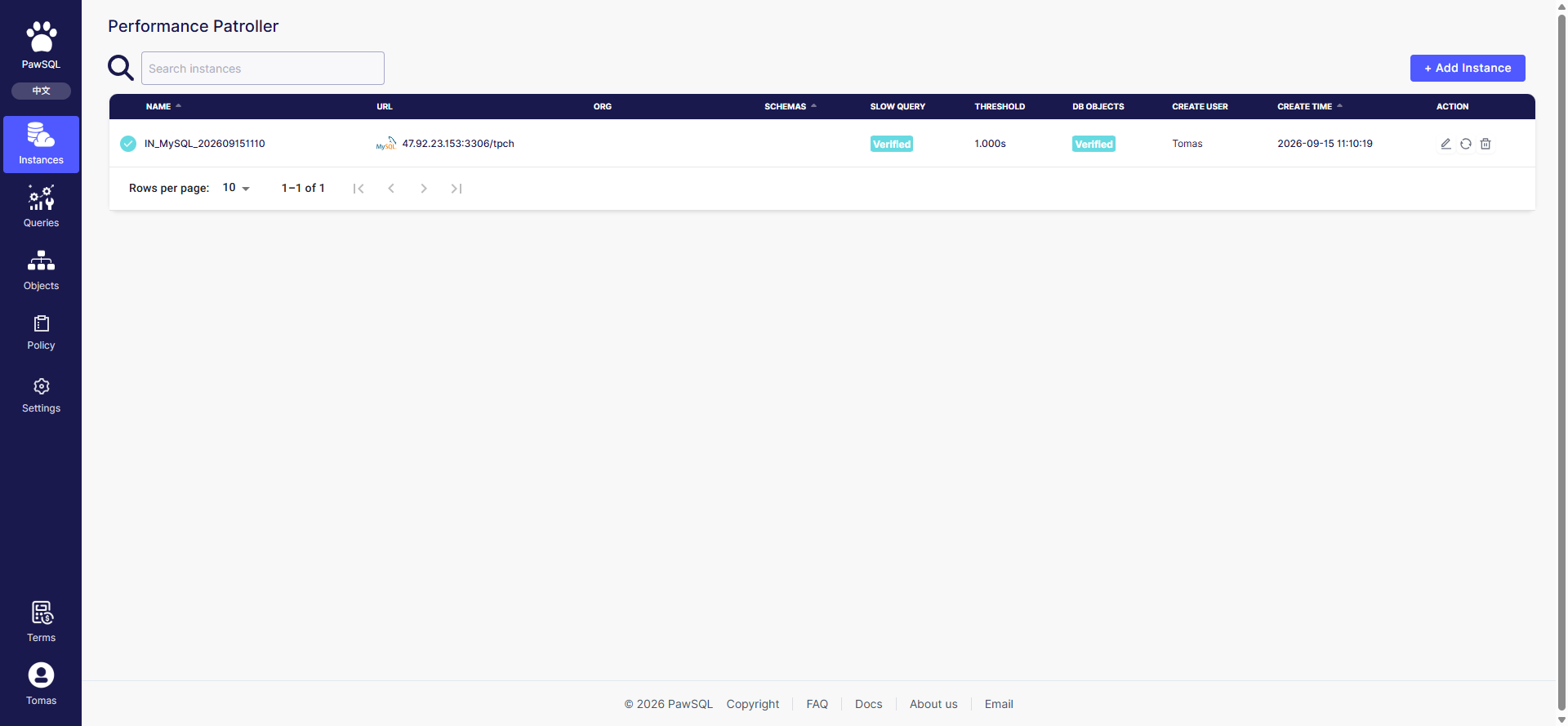
Connecting a database instance is the first step of performance governance: PawSQL must be able to reach the target database to collect slow queries and patrol database objects. Start from the "+ Add instance" button on the Instance overview page and complete a four-step wizard.
 ## Goal
Add a database instance on the Performance Patroller so PawSQL can collect slow queries and patrol its objects.
## Prerequisites
The target database is reachable from the PawSQL server, the slow query log is enabled, and the connecting account has the required permissions.
## Step 1: Select instance type
Select the target database type. The type determines the connection protocol, how the slow query log is collected, and the available patrol templates and audit rules.
## Goal
Add a database instance on the Performance Patroller so PawSQL can collect slow queries and patrol its objects.
## Prerequisites
The target database is reachable from the PawSQL server, the slow query log is enabled, and the connecting account has the required permissions.
## Step 1: Select instance type
Select the target database type. The type determines the connection protocol, how the slow query log is collected, and the available patrol templates and audit rules.
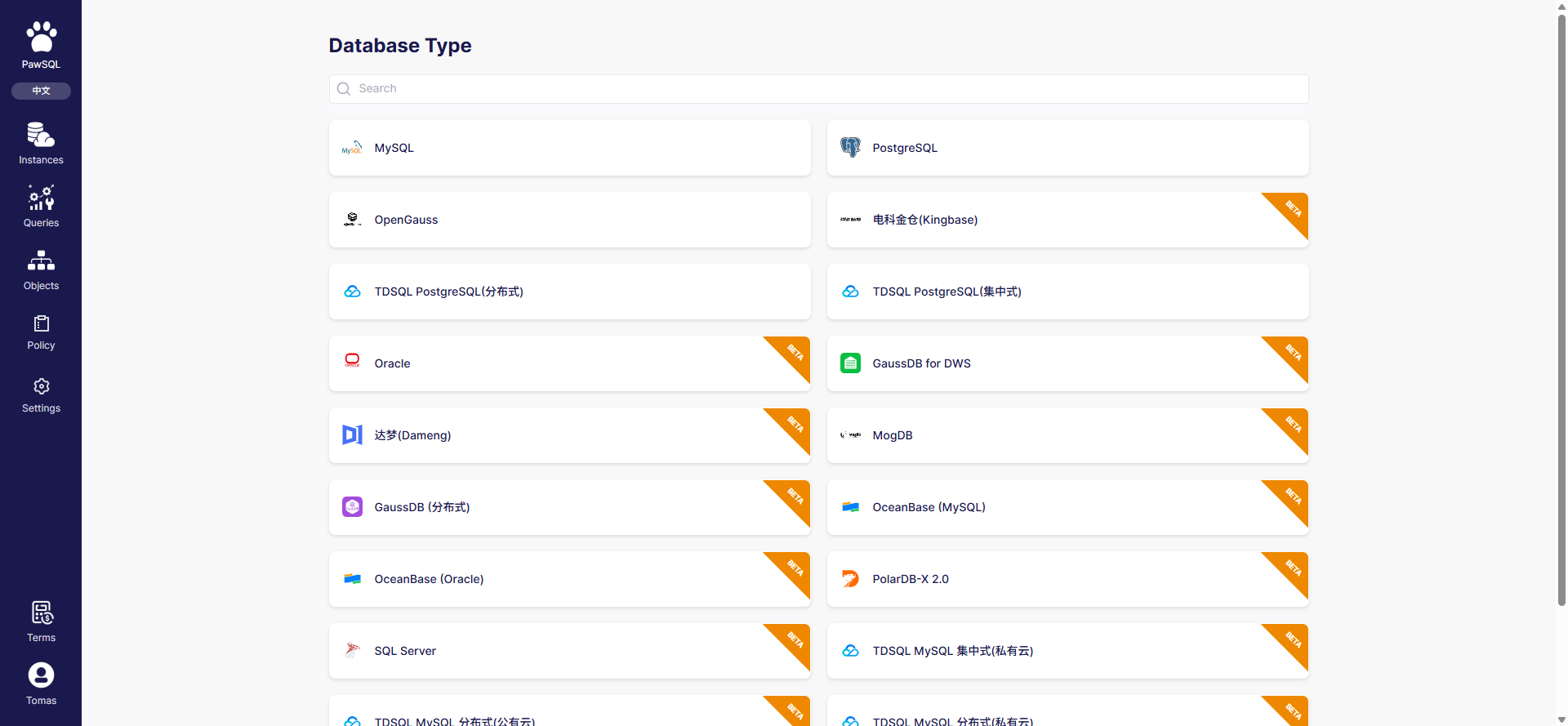 19 database types are supported. MySQL, PostgreSQL, OpenGauss, and TDSQL PostgreSQL (distributed/centralized) are generally available; the rest are marked beta:
| Type | Status |
| --------------------------------------- | ------ |
| MySQL | GA |
| PostgreSQL | GA |
| OpenGauss | GA |
| TDSQL PostgreSQL (distributed) | GA |
| TDSQL PostgreSQL (centralized) | GA |
| Oracle | beta |
| SQL Server | beta |
| Dameng | beta |
| GaussDB (distributed) | beta |
| GaussDB for DWS | beta |
| Kingbase | beta |
| MogDB | beta |
| OceanBase (MySQL) | beta |
| OceanBase (Oracle) | beta |
| PolarDB-X 2.0 | beta |
| RDS MySQL | beta |
| TDSQL MySQL centralized (private cloud) | beta |
| TDSQL MySQL distributed (public cloud) | beta |
| TDSQL MySQL distributed (private cloud) | beta |
## Step 2: Database connection
Fill in the instance name and connection details: host, port, username, password, and target database (or schema). The page also shows the "Instance setup guide" with prerequisites such as enabling the slow query log and granting permissions, specific to the target database type.
19 database types are supported. MySQL, PostgreSQL, OpenGauss, and TDSQL PostgreSQL (distributed/centralized) are generally available; the rest are marked beta:
| Type | Status |
| --------------------------------------- | ------ |
| MySQL | GA |
| PostgreSQL | GA |
| OpenGauss | GA |
| TDSQL PostgreSQL (distributed) | GA |
| TDSQL PostgreSQL (centralized) | GA |
| Oracle | beta |
| SQL Server | beta |
| Dameng | beta |
| GaussDB (distributed) | beta |
| GaussDB for DWS | beta |
| Kingbase | beta |
| MogDB | beta |
| OceanBase (MySQL) | beta |
| OceanBase (Oracle) | beta |
| PolarDB-X 2.0 | beta |
| RDS MySQL | beta |
| TDSQL MySQL centralized (private cloud) | beta |
| TDSQL MySQL distributed (public cloud) | beta |
| TDSQL MySQL distributed (private cloud) | beta |
## Step 2: Database connection
Fill in the instance name and connection details: host, port, username, password, and target database (or schema). The page also shows the "Instance setup guide" with prerequisites such as enabling the slow query log and granting permissions, specific to the target database type.
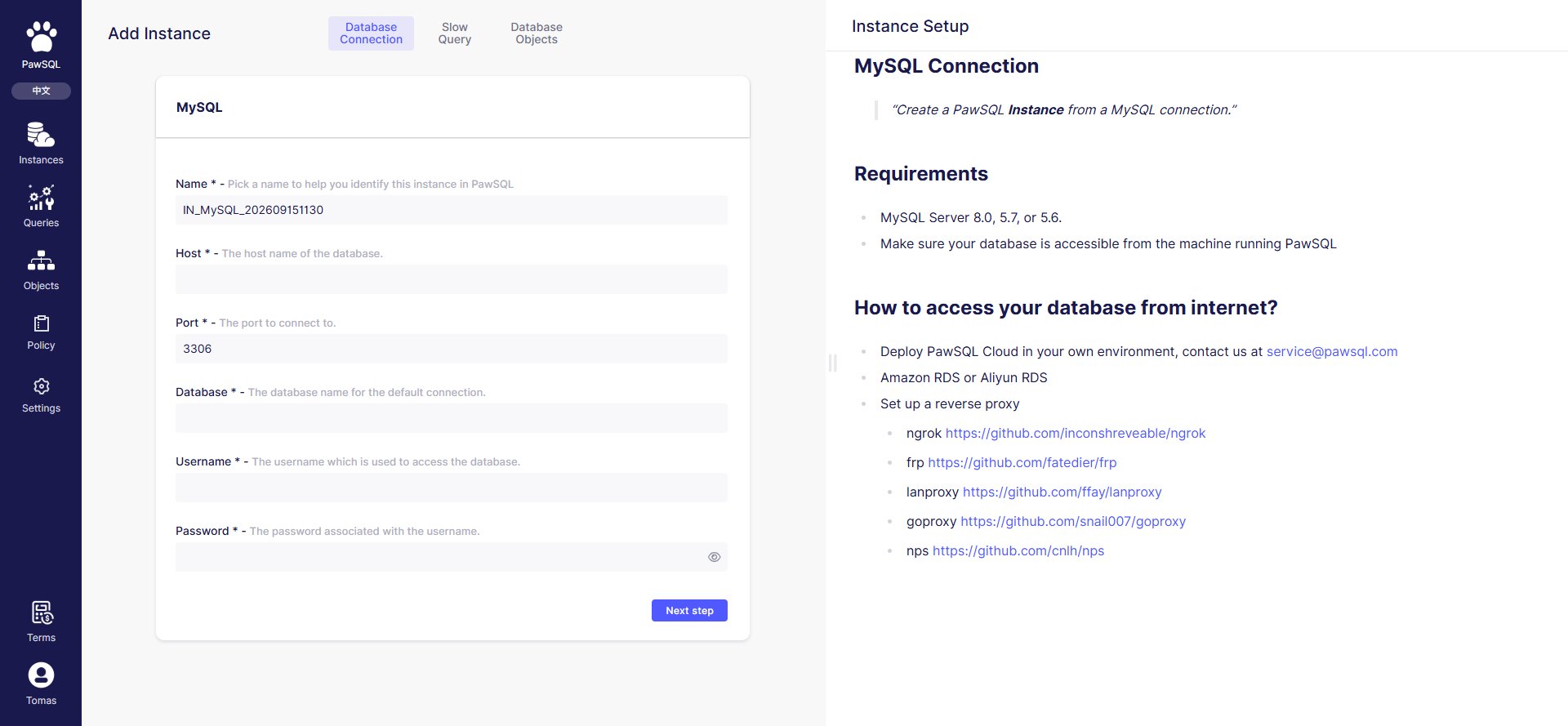 Identifies the instance in the list; include the database type and business context where possible.
The target database address and port. This address is reached by the PawSQL server, not the browser.
The account used to connect, which must have the permissions needed to collect slow queries and read metadata.
The target database (or schema), which defines the collection and patrol scope.
### Connection validation runs server-side
The "Test" or "Finish" connection validation runs on the PawSQL server — the backend connects to the target database, not the browser. Therefore:
* `127.0.0.1` or `localhost` refers to the PawSQL server's own loopback address and usually cannot reach your database;
* The target database must allow the PawSQL server's egress through firewall, security group, or allowlist;
* On failure, check network reachability and account permissions first, not the browser's machine.
## Steps 3 and 4
After the connection passes, the wizard continues to "Slow query config" and "Patrol config" — see [Collect Slow Queries](/en/user-guide/performance/collect-slow-sql) and [Object Patrol Task](/en/user-guide/performance/patrol-task).
## Expected Result
After completing the four-step wizard, the instance appears on the Instance overview page and its slow query and patrol configuration are verified.
## Before you submit
* [ ] Instance type matches the target database;
* [ ] Host, port, username, password, and database are correct;
* [ ] The slow query log is enabled (for MySQL, `slow_query_log`);
* [ ] The account can read slow queries and metadata;
* [ ] The database is reachable from the PawSQL server;
* [ ] Connection details are redacted and passwords are not exposed in shared documents.
## FAQ
| Symptom | Check first |
| ----------------------------- | --------------------------------------------------------------------------------------------- |
| Connection validation failed | Server-side reachability, firewall/security group, account permissions, loopback address typo |
| Slow query config test failed | Slow query log enabled, `log_output` is `TABLE`, read permission |
| No instance in the list | Submitted to completion, team/account visibility |
| Connection hangs | Target database responsiveness, server task queue |
## Related reading
Identifies the instance in the list; include the database type and business context where possible.
The target database address and port. This address is reached by the PawSQL server, not the browser.
The account used to connect, which must have the permissions needed to collect slow queries and read metadata.
The target database (or schema), which defines the collection and patrol scope.
### Connection validation runs server-side
The "Test" or "Finish" connection validation runs on the PawSQL server — the backend connects to the target database, not the browser. Therefore:
* `127.0.0.1` or `localhost` refers to the PawSQL server's own loopback address and usually cannot reach your database;
* The target database must allow the PawSQL server's egress through firewall, security group, or allowlist;
* On failure, check network reachability and account permissions first, not the browser's machine.
## Steps 3 and 4
After the connection passes, the wizard continues to "Slow query config" and "Patrol config" — see [Collect Slow Queries](/en/user-guide/performance/collect-slow-sql) and [Object Patrol Task](/en/user-guide/performance/patrol-task).
## Expected Result
After completing the four-step wizard, the instance appears on the Instance overview page and its slow query and patrol configuration are verified.
## Before you submit
* [ ] Instance type matches the target database;
* [ ] Host, port, username, password, and database are correct;
* [ ] The slow query log is enabled (for MySQL, `slow_query_log`);
* [ ] The account can read slow queries and metadata;
* [ ] The database is reachable from the PawSQL server;
* [ ] Connection details are redacted and passwords are not exposed in shared documents.
## FAQ
| Symptom | Check first |
| ----------------------------- | --------------------------------------------------------------------------------------------- |
| Connection validation failed | Server-side reachability, firewall/security group, account permissions, loopback address typo |
| Slow query config test failed | Slow query log enabled, `log_output` is `TABLE`, read permission |
| No instance in the list | Submitted to completion, team/account visibility |
| Connection hangs | Target database responsiveness, server task queue |
## Related reading