> ## Documentation Index
> Fetch the complete documentation index at: https://docs.pawsql.com/llms.txt
> Use this file to discover all available pages before exploring further.
> ## Agent Instructions
> PawSQL 是一个产品:Cloud 是公网部署形态,Engine / Optimizer / Auditor / Advisor / Patroller 是同一产品的组件与交付形态,不是彼此独立的产品。 / PawSQL is a single product: Cloud is the public deployment form, while Engine / Optimizer / Auditor / Advisor / Patroller are components and delivery forms of the same product, not separate products.
> 术语以站内术语表为准:SQL 审核对应英文 SQL Review,查询重写对应 Query Rewrite,索引推荐对应 Index Recommendation;英文内容统一用 Review,不用 Audit。 / Use the site glossary for terminology: 审核 is SQL Review, 重写 is Query Rewrite, 索引推荐 is Index Recommendation; English content uses Review, never Audit.
> 引用能力范围或版本支持时以对应页面为准;标注 unknown、或 status 非 published 的内容表示尚未经产品核实,不应作为事实引用。 / Cite capability scope and version support from the corresponding page; content marked unknown, or with a status other than published, is not yet product-verified and must not be cited as fact.
# Input SQL to Optimize
> Input SQL to optimize from a text box, a SQL file, database logs, or a MyBatis Mapper file to build the task workload.
A workload is the SQL you want to optimize: a single DML statement or multiple statements separated by `;`. PawSQL supports the following sources for SQL input.
## Goal
Input SQL to optimize from a text box, a SQL file, database logs, or a MyBatis Mapper file to build the task workload.
## Prerequisites
* A workspace is available.
* The workspace engine, version, and schema match the target SQL.
* Referenced tables, views, and columns exist in the workspace.
* SQL has no embedded credentials or sensitive data.
## Input sources
PawSQL supports several SQL input sources; choose the one that matches your workflow.
Paste or type valid SQL in the text box. Multiple statements can be separated by `;`. Best for ad hoc analysis or a single problematic statement.
Upload a SQL file. PawSQL extracts the statements, with multiple statements separated by `;`.
Extract SQL from a database slow log or general log.
**MySQL**
The slow log records statements whose execution time reaches `long_query_time` (seconds) and rows examined reach `min_examined_row_limit`; enable `log_queries_not_using_indexes` to also record queries that do not use an index; the general log records every statement executed during a client session.
```sql theme={null}
set global log_output='file';
set global slow_query_log='on';
set global slow_query_log_file = '/tmp/localhost-slow.log';
set global long_query_time = 5;
```
**PostgreSQL**
Enable SQL logging in `postgresql.conf`, and use `log_min_duration_statement` (milliseconds) to record only slow statements:
```text theme={null}
log_statement = 'all'
log_directory = 'pg_log'
log_filename = 'postgresql-%Y-%m-%d_%H%M%S.log'
logging_collector = on
log_min_duration_statement = 5000
```
**openGauss**
Configured like PostgreSQL, via `log_statement` and `log_min_duration_statement` in `postgresql.conf`.
PawSQL walks every SQL element node in the Mapper file and combines all possible SQL structures as optimization input. This may produce SQL that never appears in production, which can skew results (for example, suggesting a useless index or a column that is never used). Exclude SQL that will never appear during the SQL preview step.
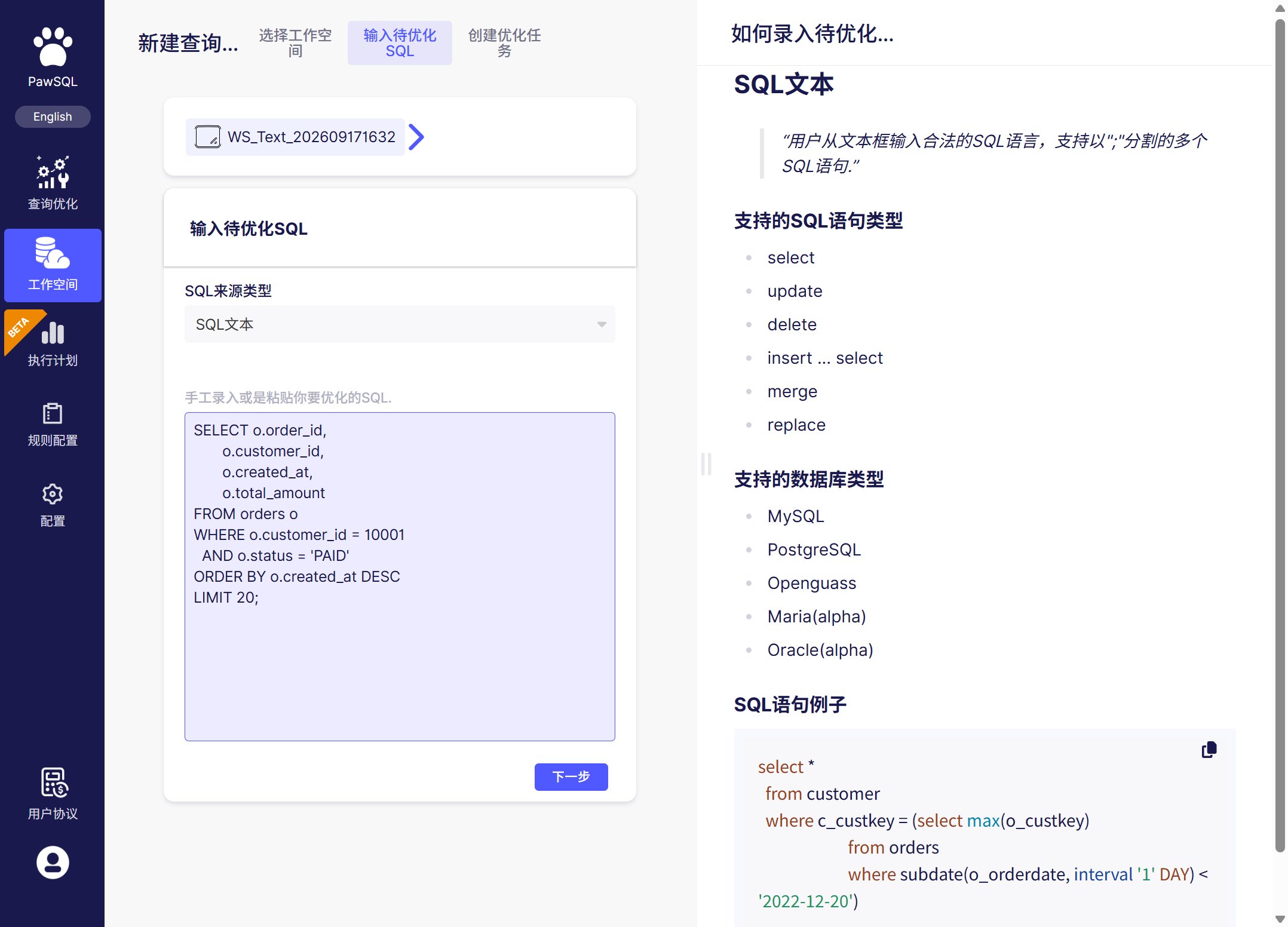 ## Supported SQL types
`select`, `update`, `delete`, `insert ... select`, `merge`, `replace`.
## Parameters and sanitization
* Use a placeholder syntax supported by the current PawSQL release, and provide representative values when needed;
* parameter values affect selectivity and execution plans, so performance validation should cover common and boundary scenarios;
* replace sensitive literals with safe representative values;
* convert a template SQL that cannot be parsed into a representative executable statement.
## Troubleshooting
| Symptom | Check first |
| ----------------- | ------------------------------------------------------------------ |
| Parsing fails | Dialect, version, statement completeness, placeholders, delimiters |
| Object unresolved | Workspace, default schema, identifier case, metadata freshness |
## Expected Result
The chosen source is parsed into the workload SQL that appears in the optimization task.
## Verification
Confirm the SQL parses, referenced tables and columns resolve in the workspace, and no credentials or sensitive data remain.
## Next steps
## Supported SQL types
`select`, `update`, `delete`, `insert ... select`, `merge`, `replace`.
## Parameters and sanitization
* Use a placeholder syntax supported by the current PawSQL release, and provide representative values when needed;
* parameter values affect selectivity and execution plans, so performance validation should cover common and boundary scenarios;
* replace sensitive literals with safe representative values;
* convert a template SQL that cannot be parsed into a representative executable statement.
## Troubleshooting
| Symptom | Check first |
| ----------------- | ------------------------------------------------------------------ |
| Parsing fails | Dialect, version, statement completeness, placeholders, delimiters |
| Object unresolved | Workspace, default schema, identifier case, metadata freshness |
## Expected Result
The chosen source is parsed into the workload SQL that appears in the optimization task.
## Verification
Confirm the SQL parses, referenced tables and columns resolve in the workspace, and no credentials or sensitive data remain.
## Next steps